Branding: logo & colors
Branding sets the clinic’s logo, tagline and three brand colors. The logo shows in the app’s sidebar, in the header of emails to patients and in treatment-plan documents. The colors are used in emails (header and button), and a live preview panel shows how they will look. Only an Admin can save changes (Front desk can open the screen, but the server rejects the save). The screenshots below show the Bulgarian interface.
At a glance
- Settings → Branding (Настройки → Брандиране) (in the “Workspace” group, next to Modules).
- The logo (PNG, JPG, SVG or WebP, up to 2 MB) uploads by drag-and-drop or file picker and is stored per clinic.
- Three color tokens: Primary, Accent and Email header color.
- There is no Save button: changes are saved automatically. The Live preview (Преглед на живо) panel shows a mock email header and button with the picked colors.
Uploading the logo and tagline
- Open Settings → Branding (Настройки → Брандиране).
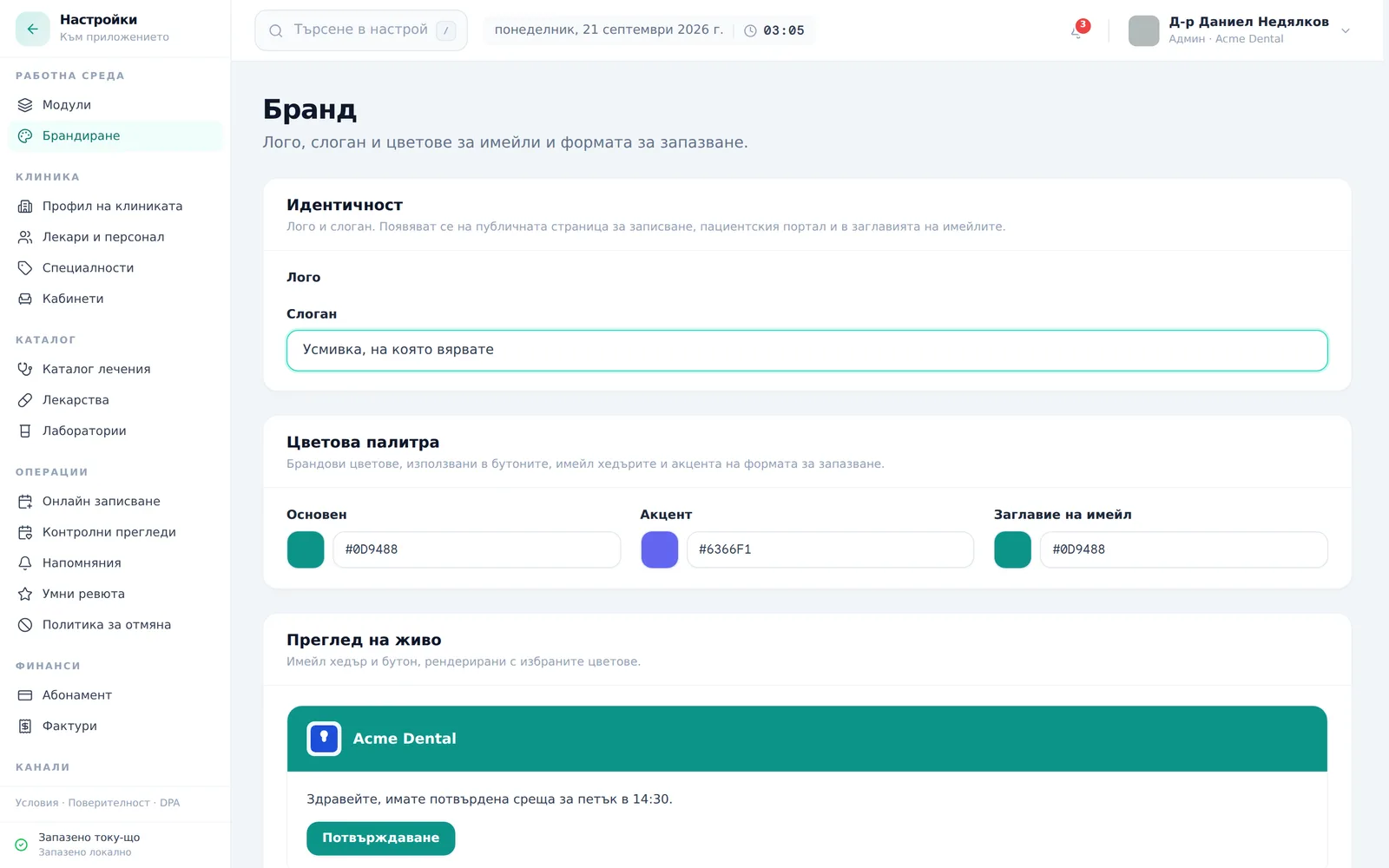
- Under Identity (Идентичност), upload a logo image (drag-and-drop or Choose file (Избери файл); PNG, JPG, SVG or WebP up to 2 MB, a transparent background is recommended). Once uploaded, use Replace (Замени) to swap it or Remove (Премахни) to clear it.
- Fill in the Tagline (Слоган) field. The tagline appears under the clinic name in the header of emails to patients (Bulgarian emails only).
Setting the color tokens
- Under Color tokens (Цветова палитра), pick a Primary (Основен), Accent (Акцент) and Email header (Заглавие на имейл) colors — via the color pickers or by typing a hex code.
- Check the Live preview (Преглед на живо) card at the bottom — it renders a mock email header and button using the picked colors so you can confirm contrast; text automatically flips between light and dark based on the header color’s brightness.
If you don’t have a logo yet
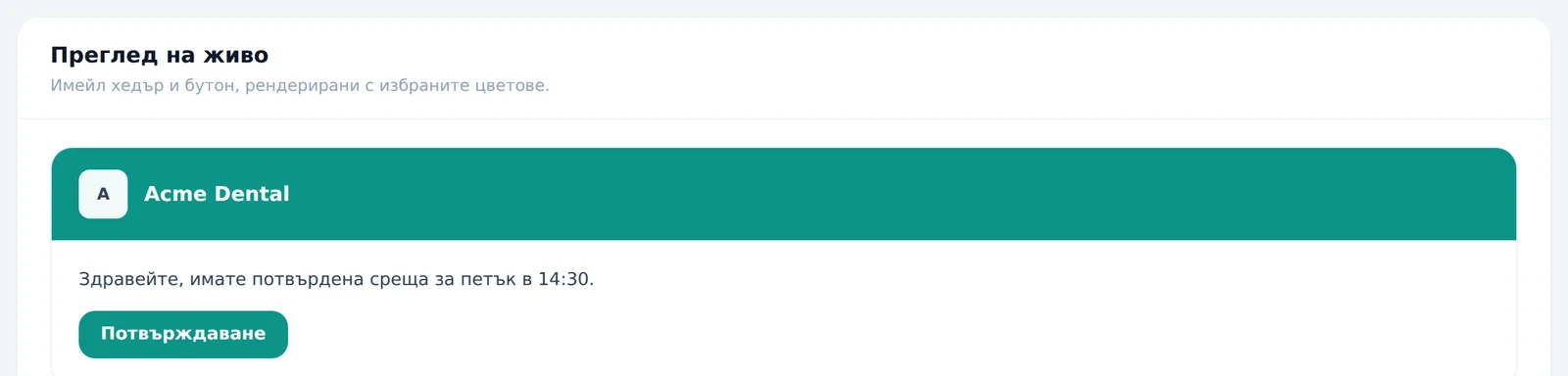
Until you upload one, the sidebar and the live preview show the clinic’s first initial instead of an image — a fallback that stays legible with no extra setup on your part.
Frequently asked questions
We don’t have a logo yet — what shows instead? The sidebar and the live preview show the clinic’s first initial until you upload one.
If I pick a very light header color, will the text still be readable? Yes — the app automatically computes whether the text should be light or dark against the picked color, the same rule the transactional-email renderer uses. You can’t accidentally make the text invisible.
Where exactly does branding show up besides the app itself? The logo is in the app’s sidebar, in the header of emails to patients and in treatment-plan documents. Email header (Заглавие на имейл) colors the email header and Primary (Основен) colors the button in them. Accent (Акцент) is saved but doesn’t change anything visible yet. The colors don’t restyle the app itself.
Who can change the branding? Admin only.