Clinic profile: details, language & currency
The clinic profile is the master record for your legal identity, contact details, and language/currency settings. It feeds invoices, printed documents, the patient portal and reminders. This guide is for the Admin role — only Admin can actually save changes here. The screenshots below show the Bulgarian interface; every UI label gives the Bulgarian original in parentheses.
At a glance
- Settings → Clinic profile (Настройки → Профил на клиниката), with 5 sub-tabs: Identity (Идентичност), Business & Legal (Бизнес и правни данни), Locale & Currency (Език и валута), Hours (Работно време) and NHIS & NHIF (НЗИС и НЗОК) (the last two have their own articles).
- Changes save automatically — there’s no Save button, only a status pill in the sidebar.
- Only Admin can actually persist changes here — a Front Desk save is silently rejected.
- The settlement currency is EUR, CHF or GBP; you can also display extra currencies alongside it.
- The staff interface is in Bulgarian or English. The patient portal is in Bulgarian, English, German, Russian and Italian. Emails to patients go out in Bulgarian by default — sending in the patient’s language is switched on only for individual clinics.
Core clinic details
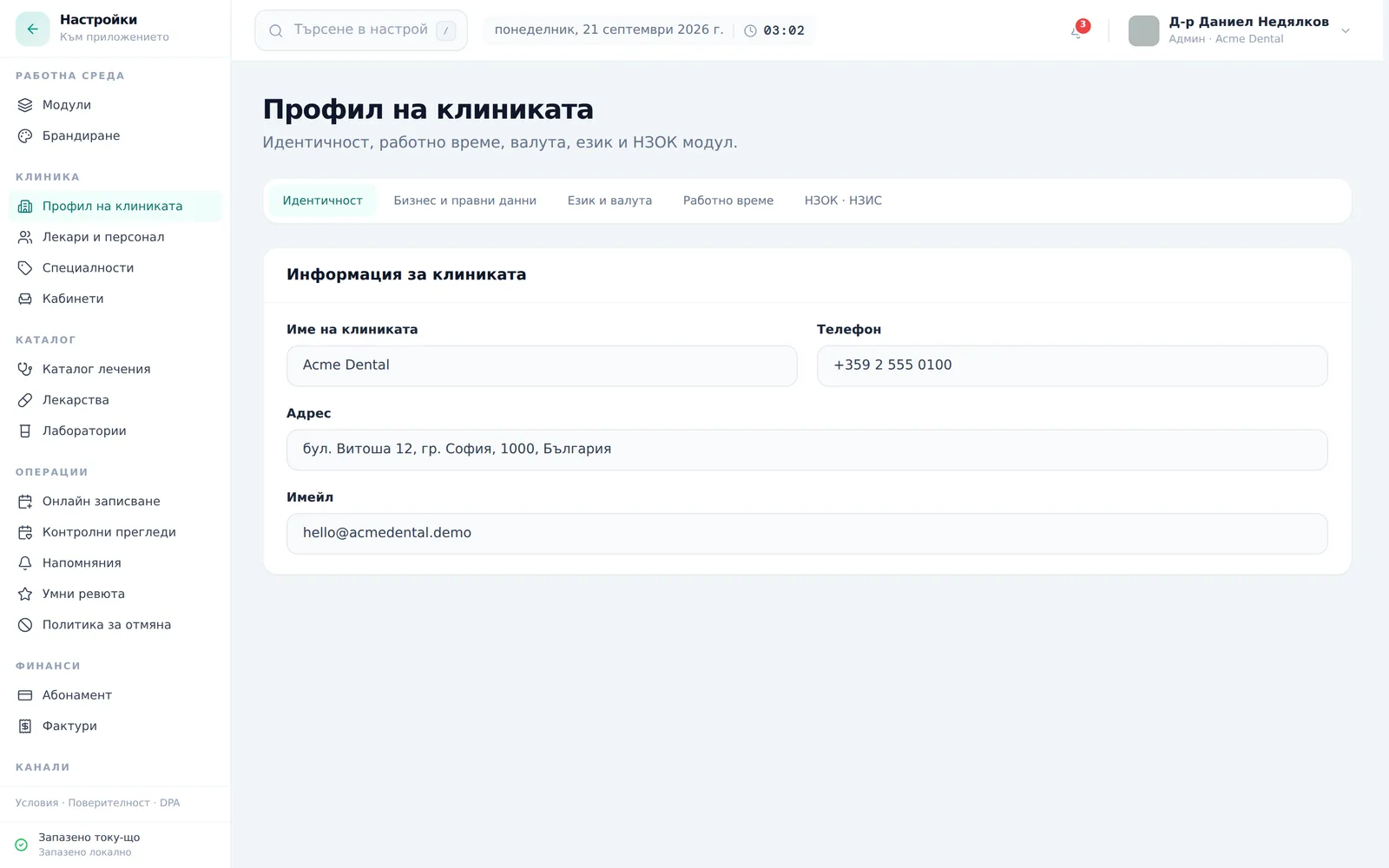
- Open Settings (Настройки) from the account menu top-right, then Clinic profile (Профил на клиниката) → the Identity (Идентичност) sub-tab.
- Fill in Clinic name (Име на клиниката), Phone (Телефон), Address (Адрес) and Email (Имейл).
Business & legal details
- Switch to Business & Legal (Бизнес и правни данни).
- Fill in Legal Entity Name (Юридическо име), Trade Name (DBA) (Търговско име), Tax ID (ДДС номер), VAT Number (ЕИК / Булстат), Registered Address (Регистриран адрес), Responsible Person (МОЛ) (Отговорно лице (МОЛ)) and Bank Account (IBAN) (Банкова сметка (IBAN)) — all of these feed invoices and legal documents.
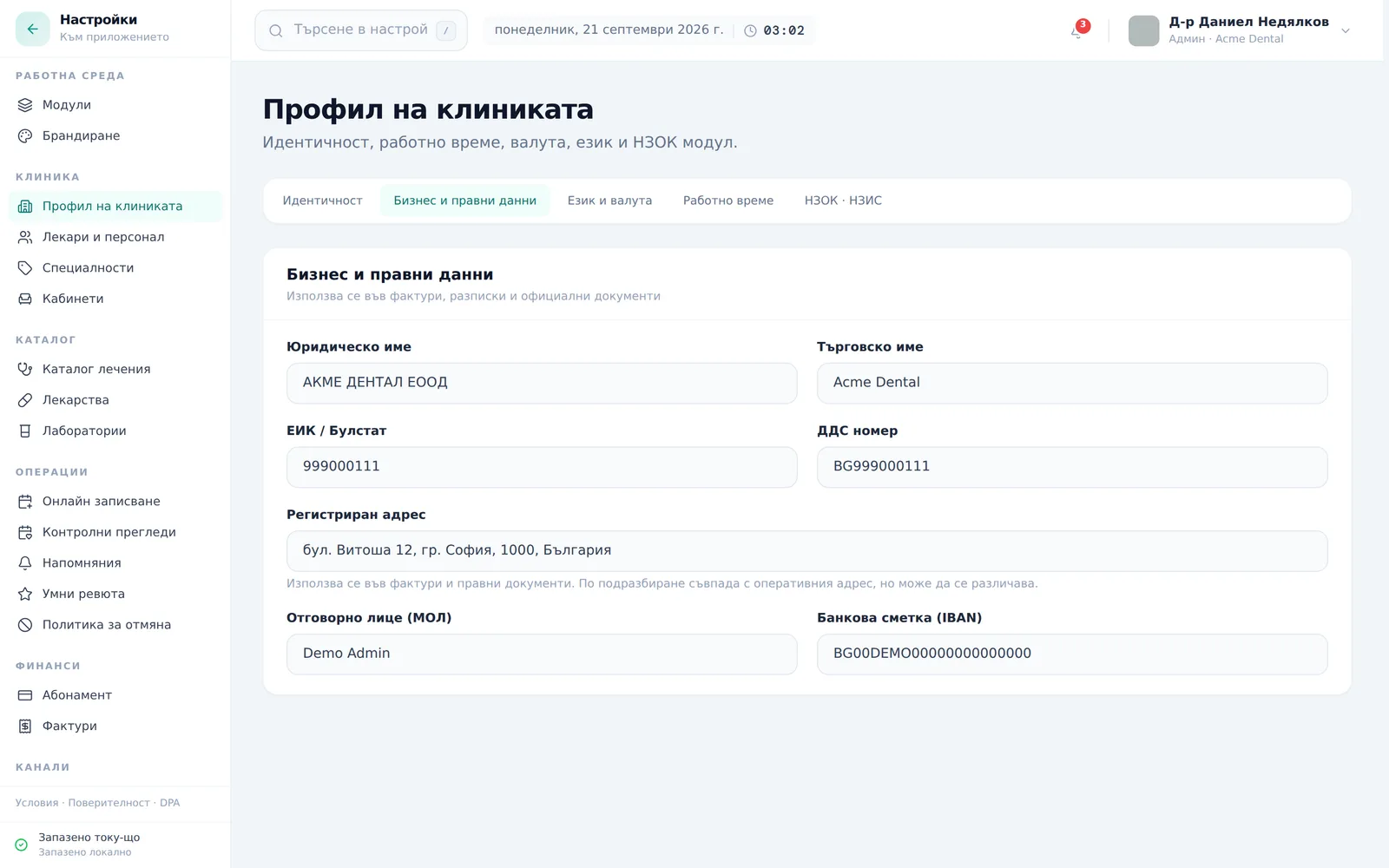
These fields aren’t validated for format — double-check them before you issue your first invoice.
Locale & currency
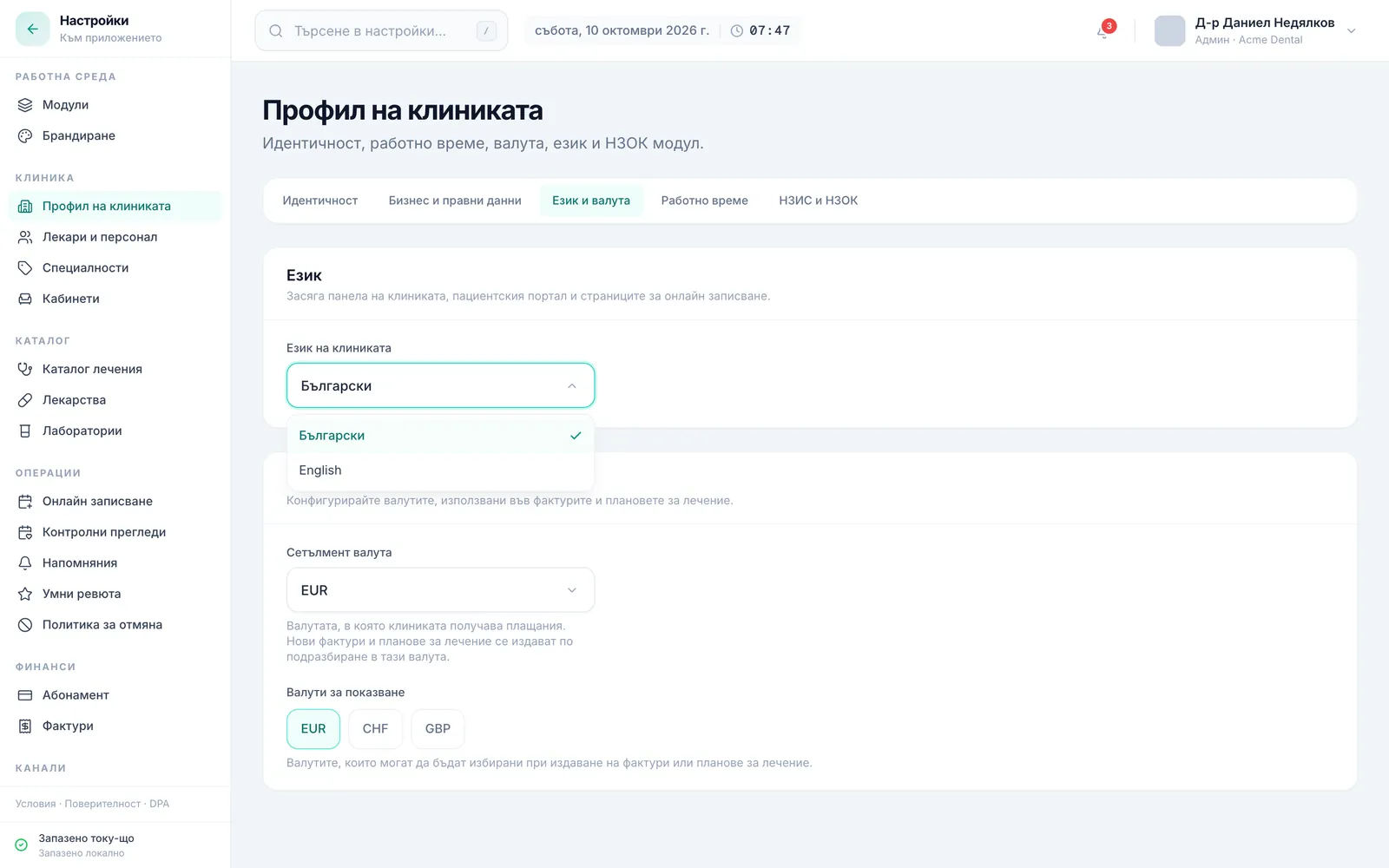
- Switch to Locale & Currency (Език и валута).
- Pick the Interface language (Език на интерфейса) — Bulgarian or English. It applies to this browser only: each team member picks their own, and patients never see it.
- Pick the Patient language (Език за пациенти) on the Default Patient Language (Език по подразбиране за пациенти) card (Admin only) — Bulgarian, English, German, Russian or Italian. The online booking page opens in this language for a new visitor. Patients switch the portal language from their profile menu. Emails to patients go out in Bulgarian by default, whatever language you pick — sending in the patient’s language is switched on per clinic by the DentaFlow team, not from Settings.
- Pick the Settlement Currency (Сетълмент валута) (EUR, CHF or GBP — Bulgaria settled on EUR from 2026; older records may still show “лв.”).
- Tick which Display currencies (Валути за показване) should appear alongside the settlement currency.
Saving your changes
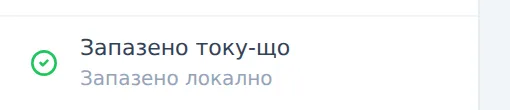
Changes save automatically — there’s no separate Save button. Watch the small status pill at the bottom of the Settings sidebar: “Saved just now” (Запазено току-що), “Saving…” (Запазваме…), or “Could not save” (Не успяхме да запазим).
Frequently asked questions
Why aren’t my changes being saved? Saving the clinic profile is restricted to the Admin role at the database level. If you’re signed in as Front Desk, you’ll see the fields but the status will show “Не успяхме да запазим” (Could not save). Sign in with an admin account instead.
Which currency should I choose for settlement? Since 2026 Bulgaria settles in EUR — that’s the recommended choice for new clinics. Older records may still show leva until they’re updated.
Can I show more than one currency at a time? Yes — besides the settlement currency, you can tick additional display currencies that appear alongside it.
Which languages do patients see DentaFlow in? The patient portal is available in Bulgarian, English, German, Russian and Italian — each patient picks the language from their profile menu in the portal. Emails from the clinic to patients are in Bulgarian by default; they go out in the patient’s language only for clinics where the DentaFlow team has switched that on.
Is this where I set the clinic’s working hours? Working hours live on a sub-tab of the same page, but the full detail — plus per-doctor schedules and closures — is covered in Working hours, vacations & closures.
Is this where I enter the NHIF contract details? No — NHIS and NHIF details go in a separate “NHIS & NHIF” (НЗИС и НЗОК) sub-tab on the same page. See NHIF: contract setup.