My appointments
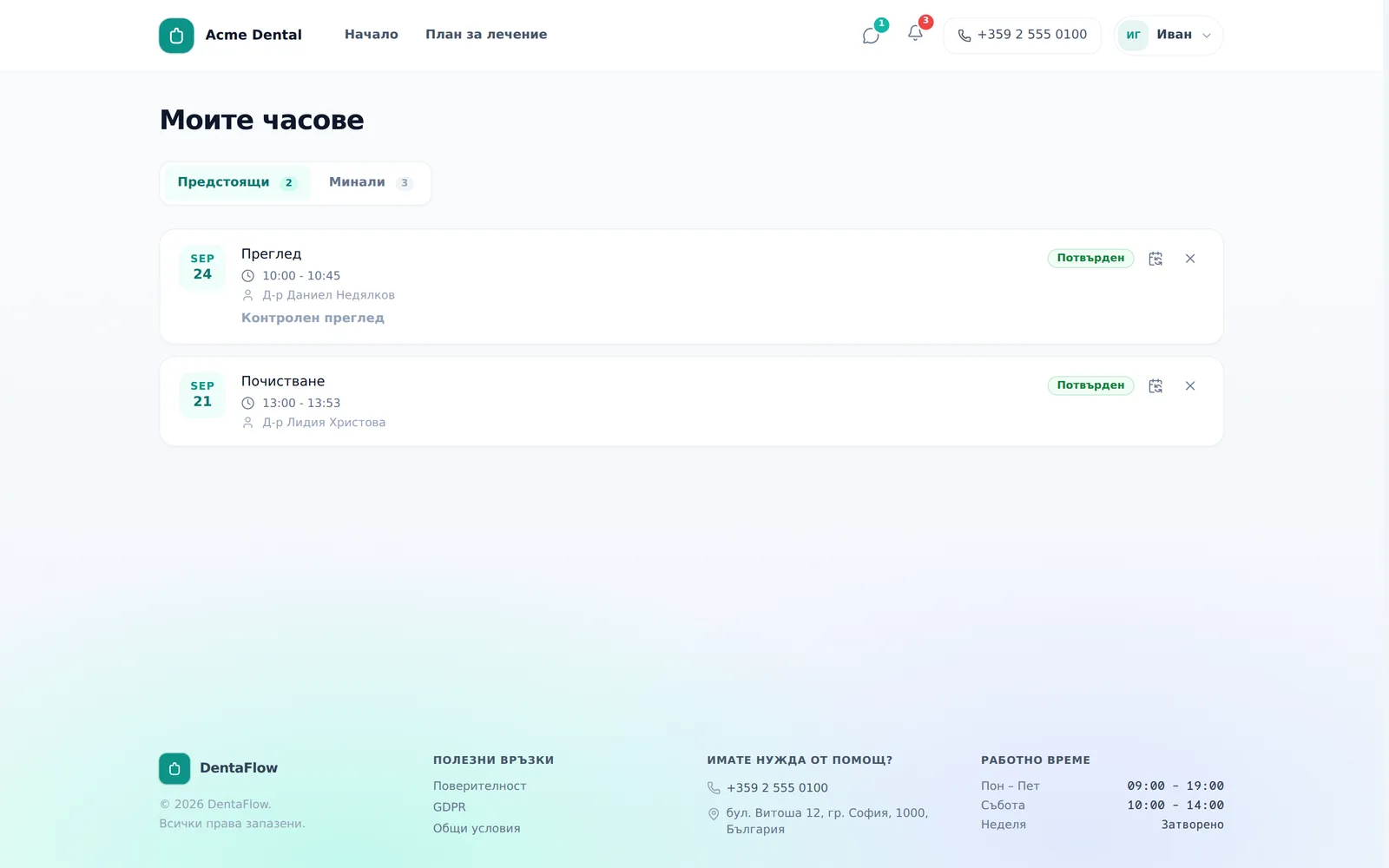
“My appointments” (Моите часове) shows every visit you’ve had or have coming up with the clinic, and lets you reschedule or cancel an upcoming one yourself, without calling. The screenshots below show the Bulgarian interface; every label gives the Bulgarian original in parentheses.
At a glance
- The Upcoming (Предстоящи) tab shows future visits, Past (Минали) shows ones already done.
- From an upcoming, non-cancelled appointment you can reschedule or cancel it yourself.
- Past appointments are read-only — no actions available.
- Every reschedule from the portal lands as “Pending” (“Изчаква”) — the clinic has to confirm it.
- If the clinic has a cancellation policy, cancelling inside its notice window shows a deposit/fee warning before you can proceed.
Reviewing your appointments
- Open My appointments (Моите часове) — from “Appointment history” (“История на часовете”) in the account menu or from the home screen’s quick links. The Reschedule (Премести) and Cancel (Откажи) buttons on the home screen’s “Next visit” card open the matching dialog for that visit directly.
- The default tab is Upcoming (Предстоящи).
- Switch to Past (Минали) to review completed visits — date, time, doctor, status and any notes on each.
Rescheduling an appointment
- On an upcoming, non-cancelled appointment, click the reschedule icon (calendar with an arrow, tooltip “Reschedule” / „Премести часа“).
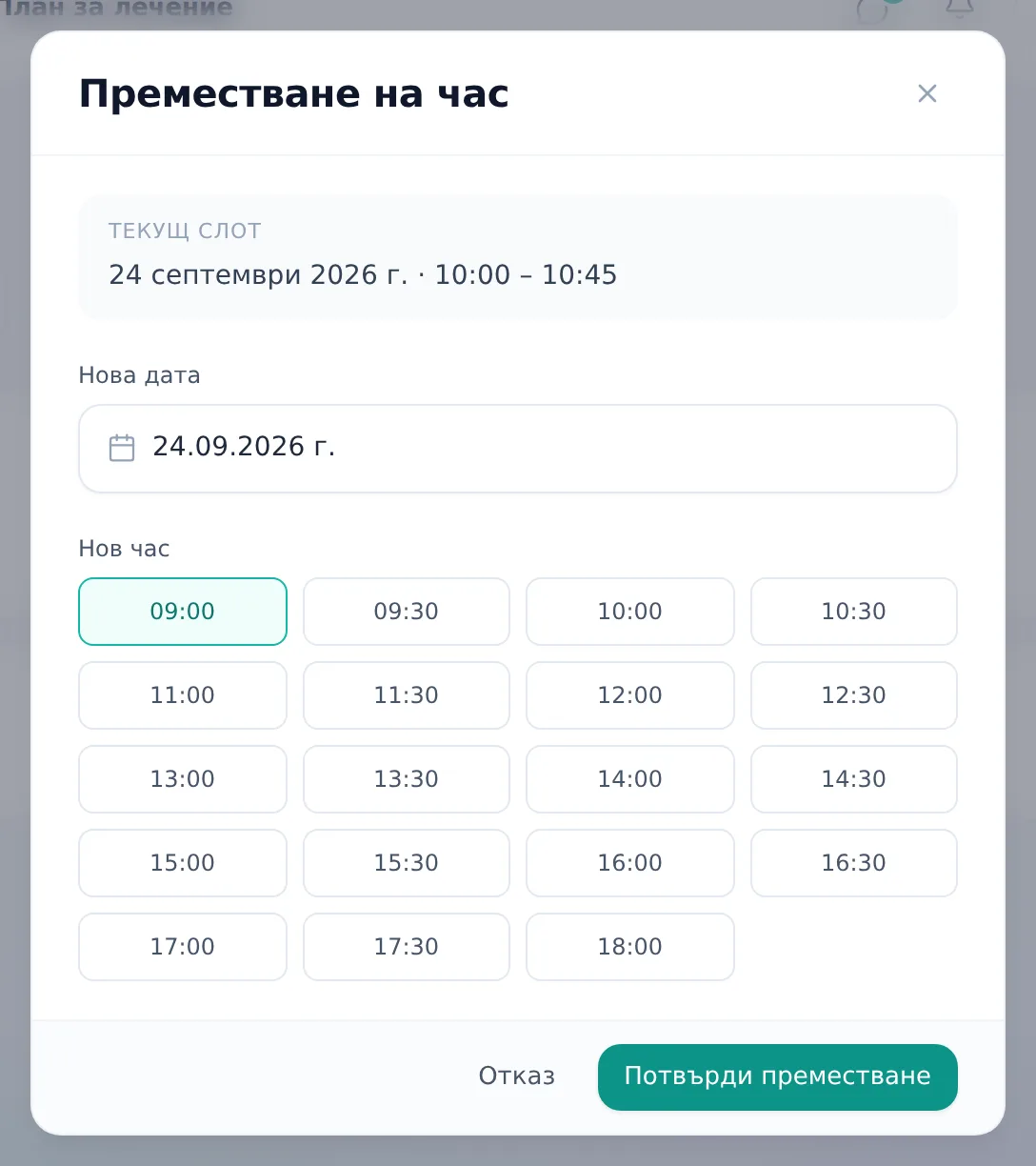
- In the “Reschedule appointment” (Преместване на час) dialog, pick a New date (Нова дата).
- Pick a slot under New time (Нов час).
- Click Confirm reschedule (Потвърди преместване). You’ll see “Your appointment has been rescheduled” („Часът беше преместен“), and the visit goes back into the list as “Pending” (“Изчаква”) until the clinic confirms it. If no computed slots are available, the dialog shows a standard time grid with the note “The requested time is subject to confirmation by the clinic.”
Cancelling an appointment
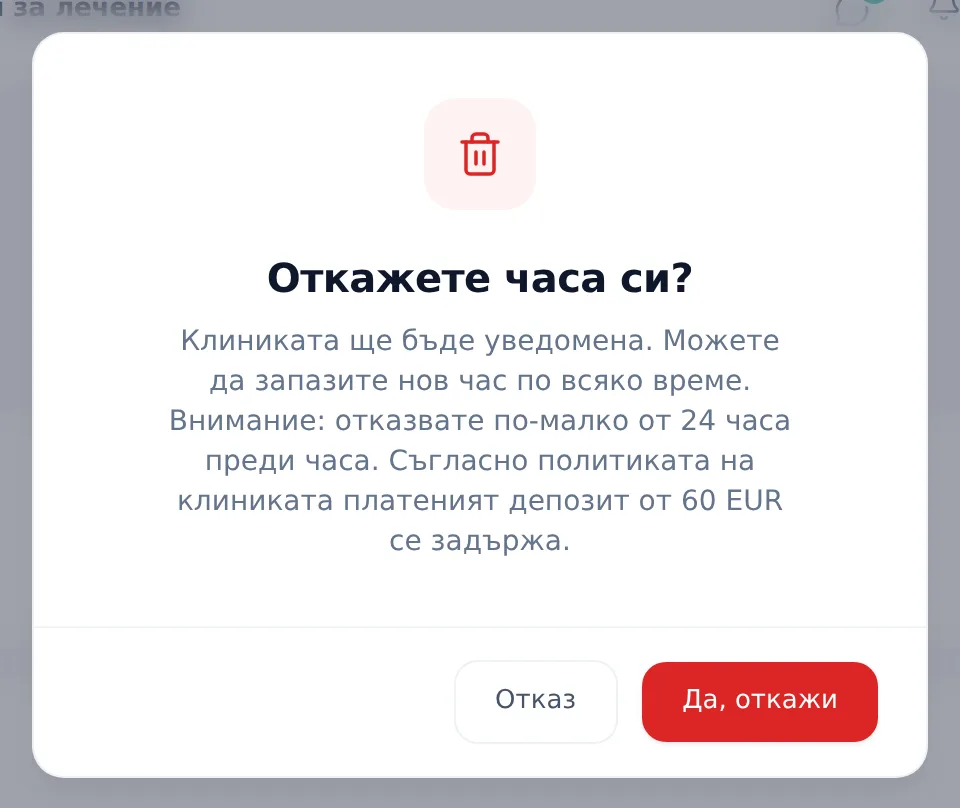
- On an upcoming appointment, click the X icon (tooltip “Cancel” / „Откажи часа“).
- You’ll see “Cancel your appointment?” (“Откажете часа си?”) with a note that the clinic will be notified. If the clinic has switched on a cancellation policy and the visit starts inside its notice window, the dialog adds a warning: that you are cancelling less than that many hours before, whether a paid deposit will be kept, and whether a late-cancellation fee will be charged — read it before you confirm.
- Click Yes, cancel (Да, откажи). You’ll see “We’ve cancelled your appointment” („Часът Ви беше отказан“).
Frequently asked questions
Is my new time confirmed right away after I reschedule? No. After every reschedule from the portal the appointment goes to “Pending” (“Изчаква”) — the clinic needs to confirm the new time, the same as any new online request. This applies even when the slot is inside the doctor’s working hours.
Will I lose my deposit if I cancel? It depends on the clinic’s policy and how much notice you give. If the clinic has a cancellation policy and you cancel inside its notice window, the portal shows a warning with the consequences — deposit forfeiture and/or a fee — before you confirm. A forfeited deposit can’t be reversed from the portal.
Can I “undo” a cancelled appointment? No. A cancelled appointment can’t be restored from the portal — you’ll need to book a new one.
What should I do if a reschedule fails? You’ll see “Could not reschedule. Please try again or contact the clinic.” — try again or contact the clinic directly.


