The audit log
This guide shows how to read the audit log — who did what, when, and exactly what changed. The page is read-only, Admin-only, and depends on the “Audit log” module (on by default). The app screenshots show the Bulgarian interface; every label below gives the Bulgarian original in parentheses.
At a glance
- The audit log (Журнал на действията) is reachable from the account menu, Admin only.
- It shows up only while the “Audit log” (Журнал на действията) module is enabled under Settings → Modules (on by default). With the module off, the link disappears and opening the address sends you back to the dashboard.
- It records create, update, delete, send and status-change actions — across patients, appointments, treatments, invoices, treatment plans, documents, messages, recalls, consents and instalment payments.
- Entries are kept per the window set at Settings → Security → “Advanced security” (Разширена сигурност) → “Audit log retention” (Запазване на одит лог) (default 1 year, floor of 90 days) — purged permanently every Sunday.
- The page loads the latest 500 entries; the filters and paging work on those.
- The page is read-only — there is no edit or delete action on an entry from here.
Reading and filtering the log
- If you don’t see the link to the log, check that the module is on at Settings → Modules → “Audit log” (Настройки → Модули → Журнал на действията) (Admin action only).
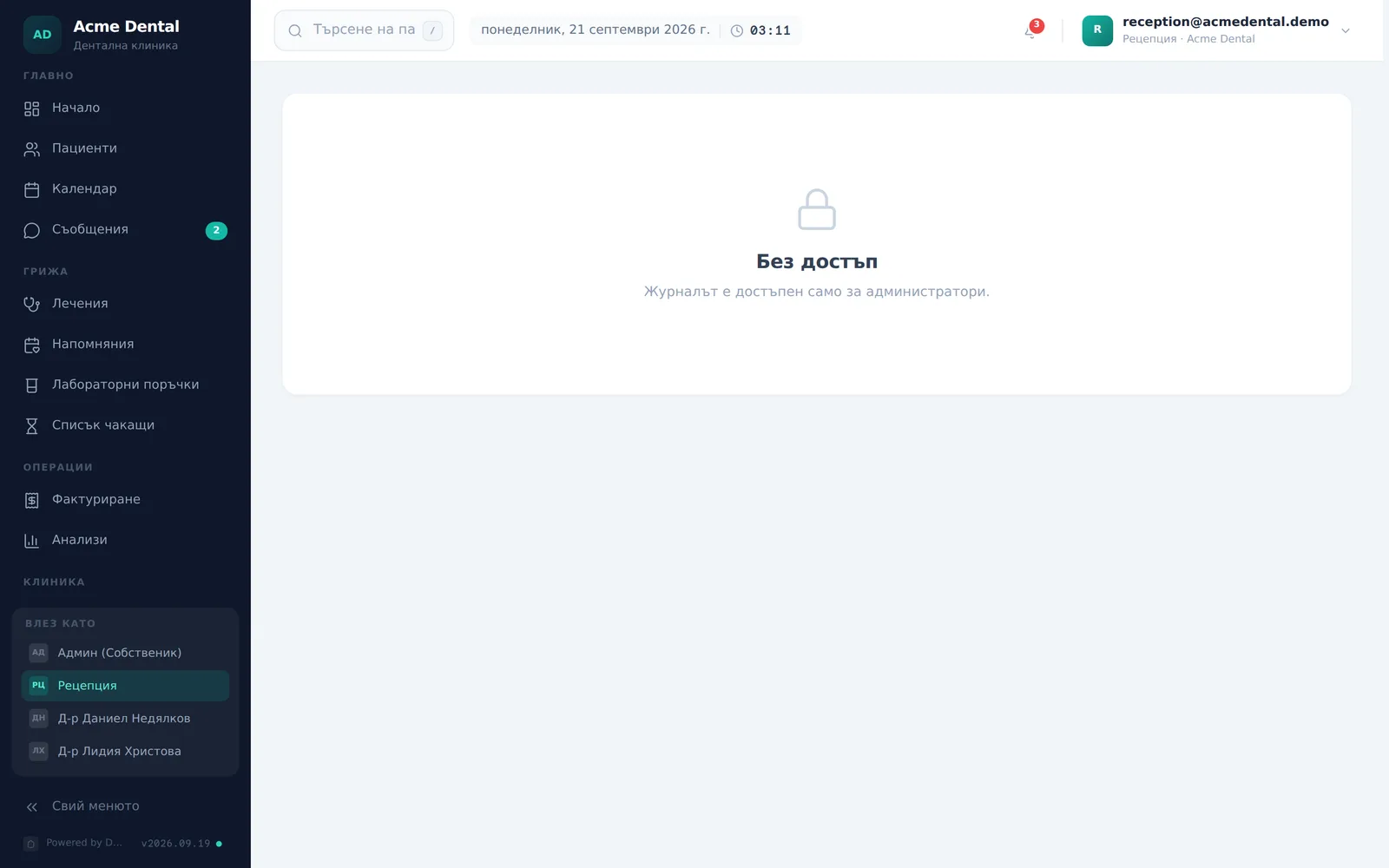
- Open the log from the account menu → Audit log (Журнал на действията). A role other than Admin that opens the address directly sees Restricted (Без достъп) instead of the log.
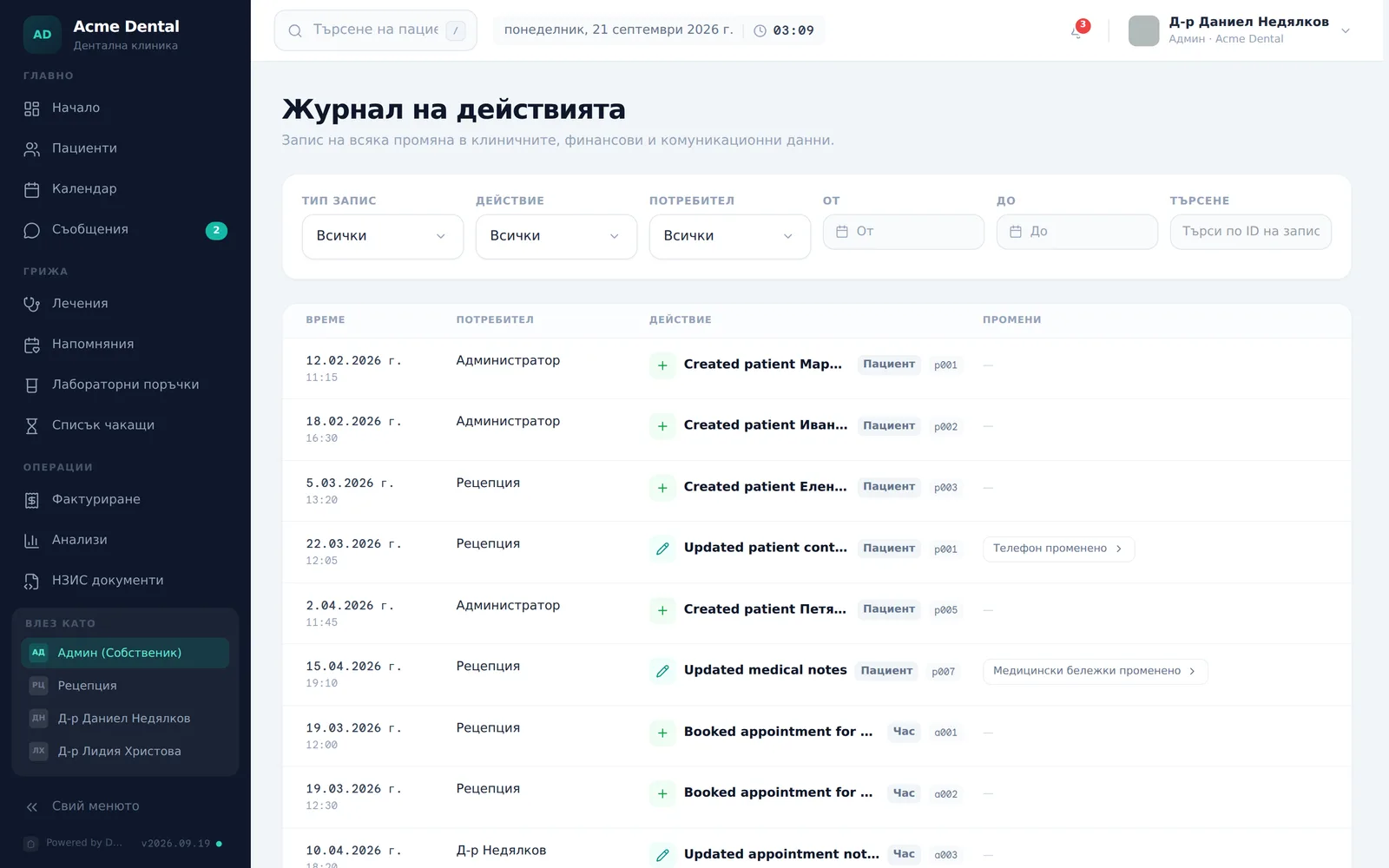
- Narrow the list with the filter row: Entity type (Тип запис), Action (Действие), User (Потребител), a From (От) / To (До) date range, or free text in the Search (Търсене) box (matches the entry ID or the description text).
- Click Clear filters (Изчисти филтрите) to reset all of them at once.
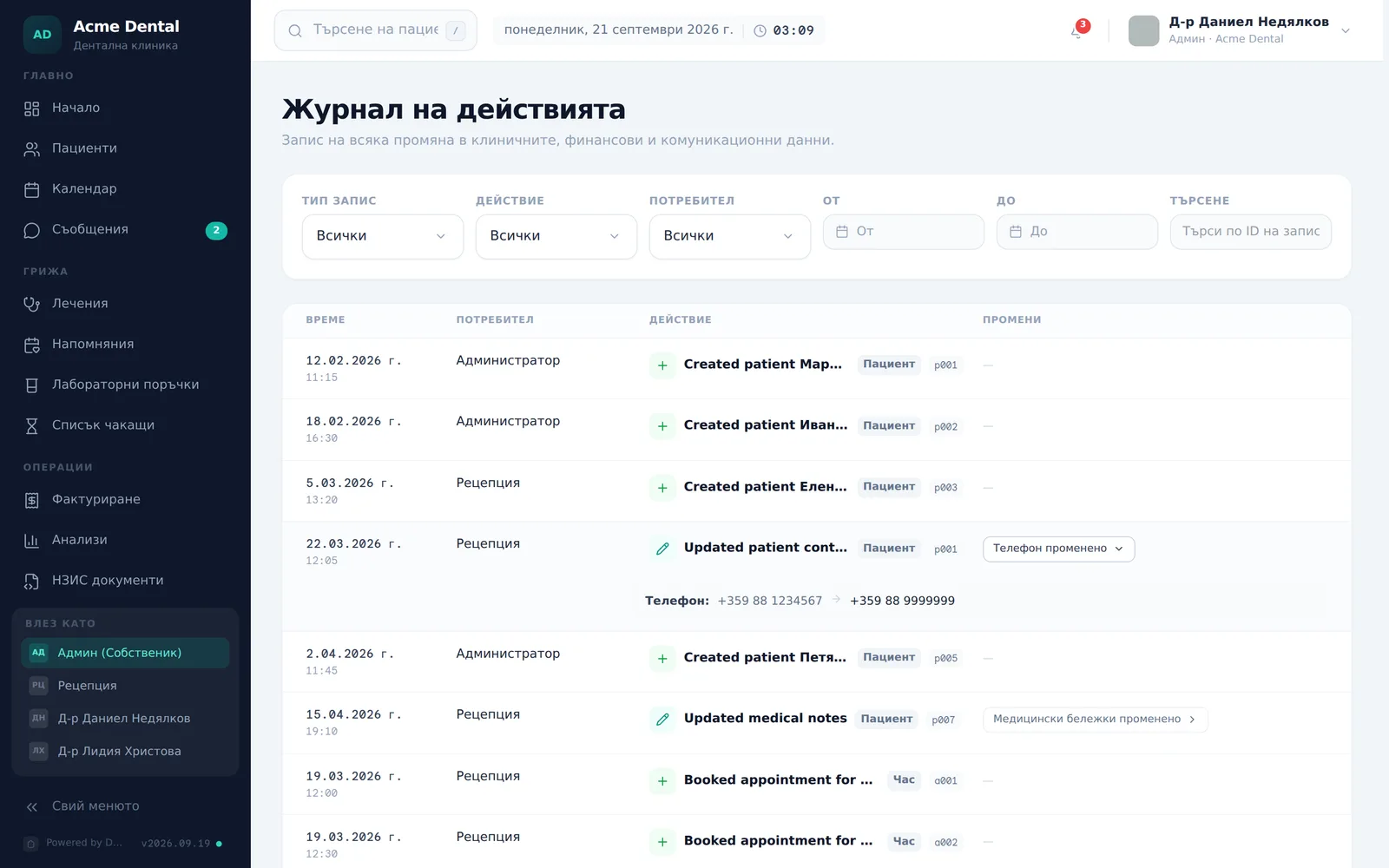
- For a row with a changes summary, click it to expand the field-by-field before → after diff.
- Page through results with Previous (Назад) / Next (Напред) at the bottom (50 rows per page). The log shows the newest 500 entries; older ones that are still inside the retention window aren’t loaded here.
For a single patient, the same actions also appear in the patient’s file, in the collapsible Activity (Активност) section (Admin only, while the module is on).
Frequently asked questions
Can I edit or delete a log entry? No. The page has zero write actions — entries are read-only.
How long are entries kept? Per the window set at Settings → Security → “Advanced security” (Разширена сигурност) → “Audit log retention” (Запазване на одит лог) → Retention (Период на запазване) — 90 days, 180 days, 1, 2 or 5 years (default 1 year, with a hard floor of 90 days). Older entries are automatically deleted every Sunday and cannot be recovered. The page has no download button, so screenshot or note down what you need before the window closes.
Why does the page show “Restricted”? You’re signed in with a role other than Admin. If the “Audit log” (Журнал на действията) module is switched off under Settings → Modules, the link disappears and opening the address sends you back to the dashboard — no message is shown.
Can Front Desk or Doctor see the audit log? No. Only Admin sees the log — any other role sees “Restricted” (Без достъп).
What exactly gets recorded? Create, update, delete, send and status-change actions — for patients, appointments, treatments, invoices, treatment plans, documents, messages, recalls, consents and instalment payments. Simply opening a record (a view) is not recorded.