Reviews & reputation
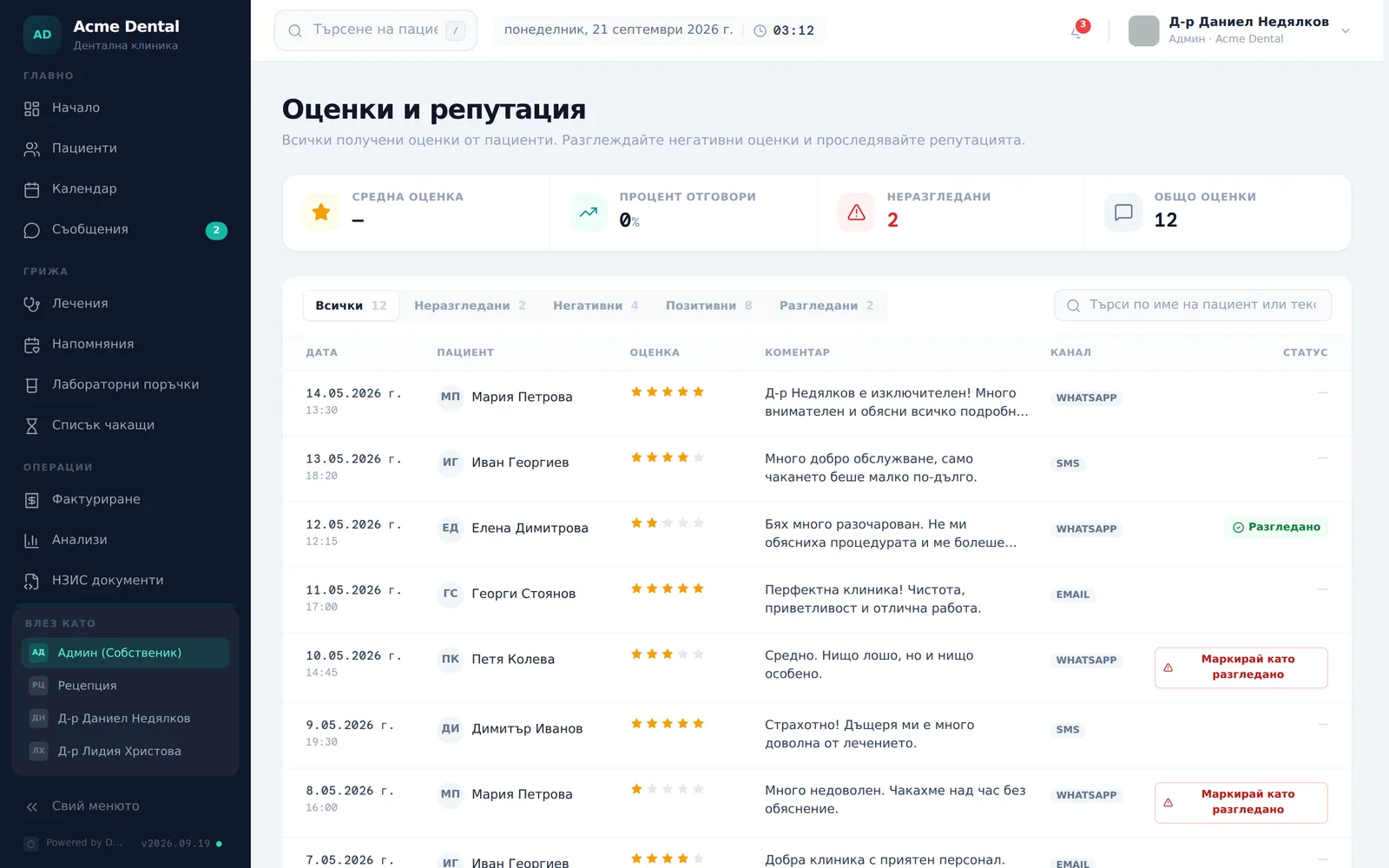
The Reviews & Reputation page (Оценки и репутация — “Reviews” in the sidebar) shows every invitation and review from Smart review, with month-to-date stats and a workflow for triaging low scores. The page is Admin-only; Front Desk sees the summary on the dashboard’s “Reputation (Репутация)” card. The app screenshots show the Bulgarian interface; every label below gives the Bulgarian original in parentheses.
At a glance
- Four stat tiles at the top: average score, response rate, unresolved count and total reviews (ratings received).
- Filter pills with live counts: All, Unresolved, Negative, Positive, Resolved.
- The “Mark resolved” action is only for negative ratings — those below the low-score threshold in Smart review (below 4 stars by default).
- Resolving is an internal note only — it doesn’t notify the patient, edit their review, or remove it from Google.
- Unresolved negative ratings show as a red count next to “Reviews” in the sidebar; if set up, the owner also gets an email.
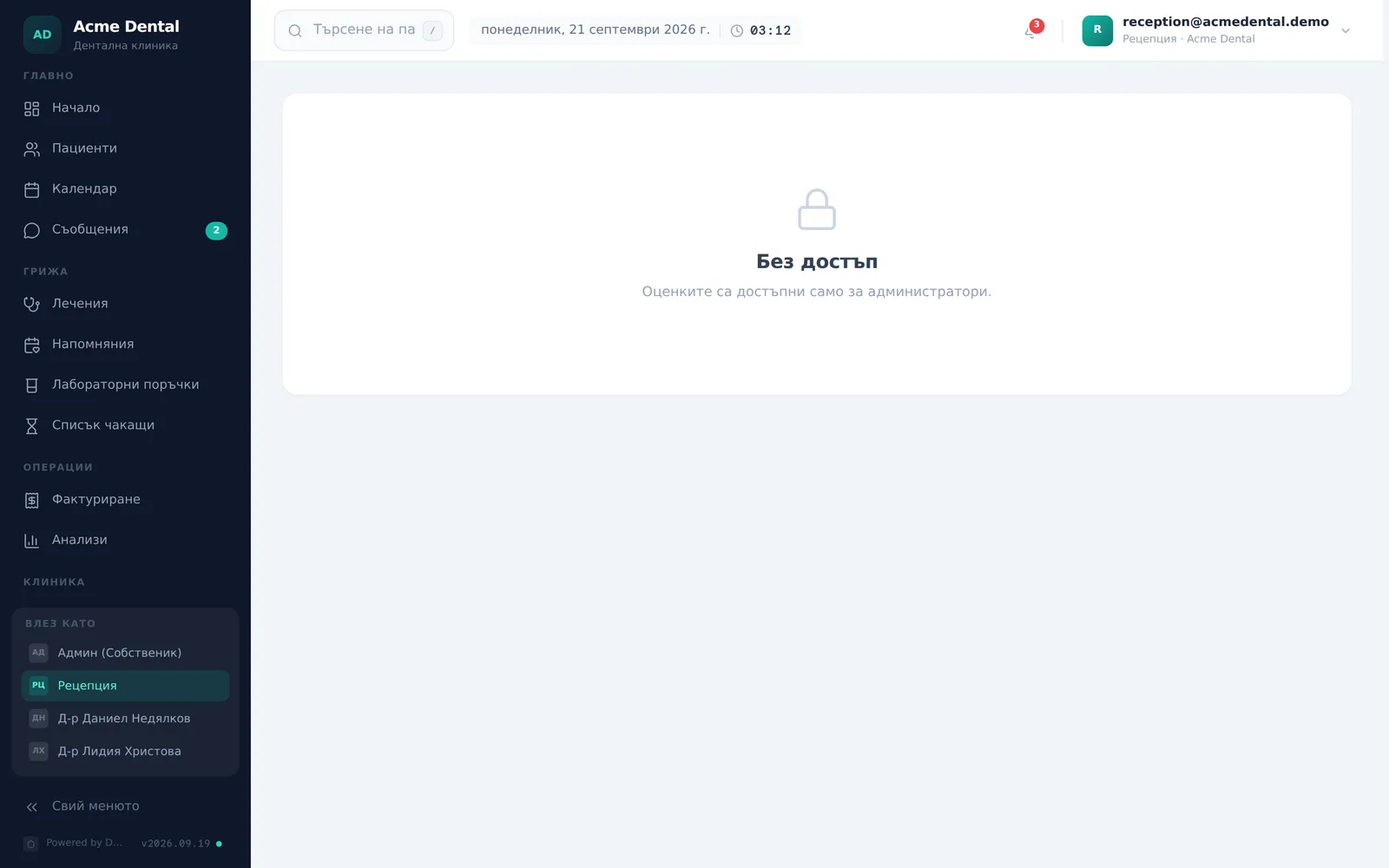
- Front Desk and Doctor get a locked screen if they open the page directly.
Scanning this month’s reputation
- Open Reviews (Оценки) from the sidebar (“Operations” section).
- Read the four stat tiles: Average score (Средна оценка), Response rate (Процент отговори), Unresolved (Неразгледани), Total reviews (Общо оценки) (the count of ratings received).
- Filter with the pill tabs — All (Всички), Unresolved (Неразгледани), Negative (Негативни), Positive (Позитивни), Resolved (Разгледани) — each shows a live count. A note above the table shows the current threshold — “Negative” means below it — with a Change threshold (Промени прага) link to the settings.
- Search by patient name or comment text in the box at the top right of the table.
- The table has the columns Date (Дата), Patient (Пациент), Score (Оценка), Comment (Коментар), Channel (Канал) and Status (Статус), 25 rows per page (Previous (Назад) / Next (Напред) buttons below).
Following up on a negative review
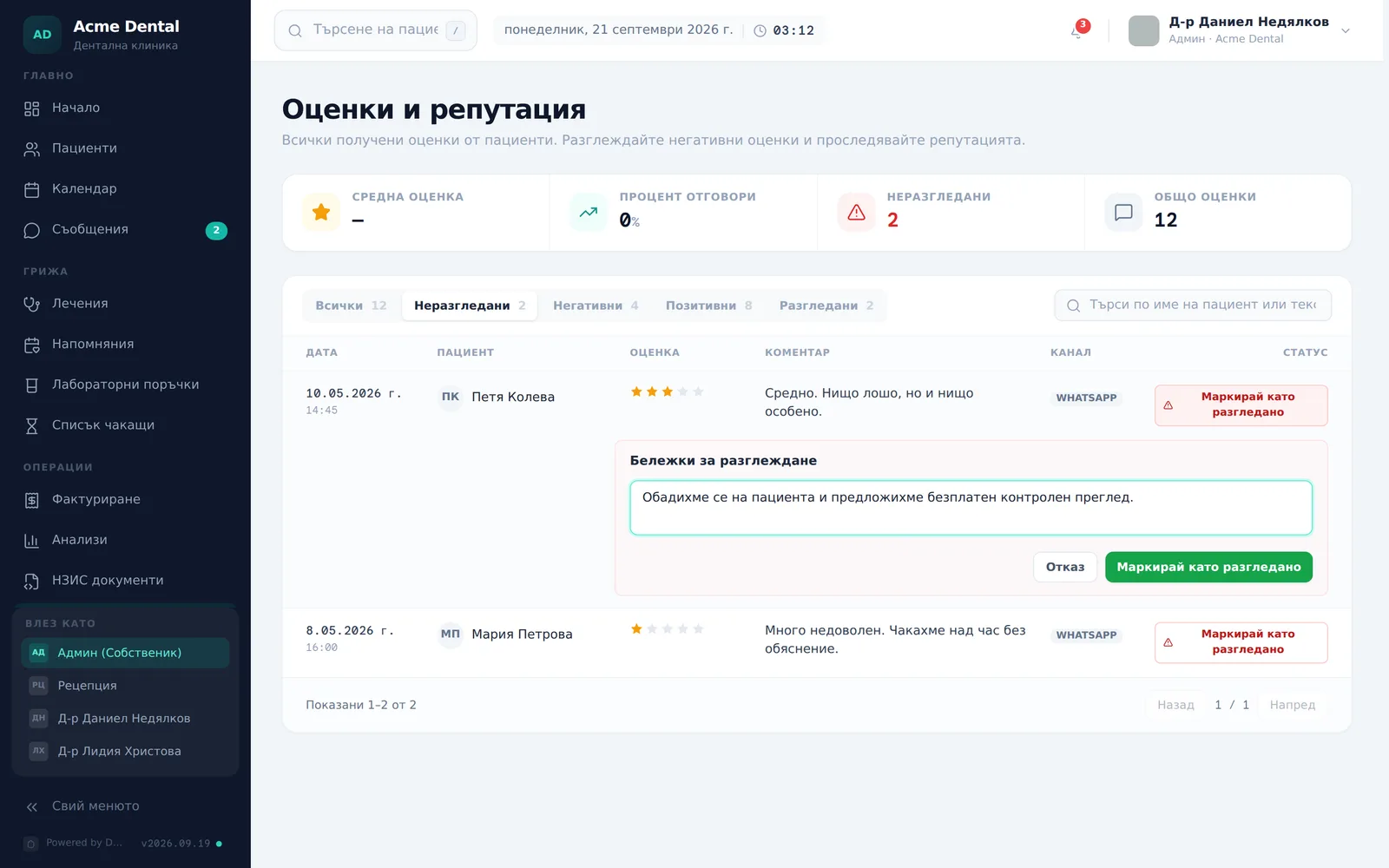
- On a negative row with no resolution yet, click Mark resolved (Маркирай като разгледано).
- Type internal notes (e.g. “Called the patient, offered a follow-up exam…”) in Notes about resolution (Бележки за разглеждане).
- Click Mark resolved (Маркирай като разгледано) again to confirm, or Cancel (Отказ) to back out.
- To open the reviewing patient’s chart, click their name in the row.
Admin-only access
Front Desk and Doctor don’t see Reviews in the sidebar. If they open the URL directly, they see a locked screen (“Reviews are admin-only” / Оценките са достъпни само за администратори) instead of the table. Admin and Front Desk see the Reputation (Репутация) card on the dashboard — average score, response rate, unresolved count, a 12-week trend and the latest comments for the month; Doctors don’t see it. The red bar ”… unresolved negative reviews — needs follow-up” on the card opens the Resolve review (Разгледай оценката) window with the list of unresolved ones — Front Desk can mark them resolved from there without access to the Reviews page. The View all (Виж всички) link on the card goes to the Reviews page, which is locked for Front Desk.
Frequently asked questions
Does “Resolved” notify the patient or change their review? No. It’s purely an internal tracking action — it adds a resolved timestamp and your notes, but sends nothing to the patient, doesn’t edit their review, and doesn’t remove it from the public Google listing.
Why don’t I see “Mark resolved” on a good review? The action only shows for negative ratings — those below the current low-score threshold. The others show a plain dash in the status column — there’s nothing to resolve. Changing the threshold also re-sorts past ratings between “Negative” and “Positive”.
Why are there rows without stars in the table? Those are invitations the patient hasn’t answered yet — they show “Awaiting reply” (Изчаква отговор) and have no resolve action. They don’t count towards “Total reviews”.
How do I find out about a new low rating? From the “Low score …/5” email to the owner (if set up in Smart review), the red count next to “Reviews” in the sidebar and the alert on the dashboard’s “Reputation” card. The count refreshes when the app is reloaded.
Why is the response rate low? Response rate is reviews submitted this month divided by completed appointments this month. A low number usually just means many recent visits haven’t crossed the send-delay window yet, not that invites failed to go out.
Is an empty table a bug? No — “No reviews match these filters.” (Няма оценки за избраните филтри) is common in the first days of Smart review. Reviews only start appearing once patients actually rate a completed visit.
Who can see this page? Admin only. Roles are managed under Team & roles.