Data export (GDPR)
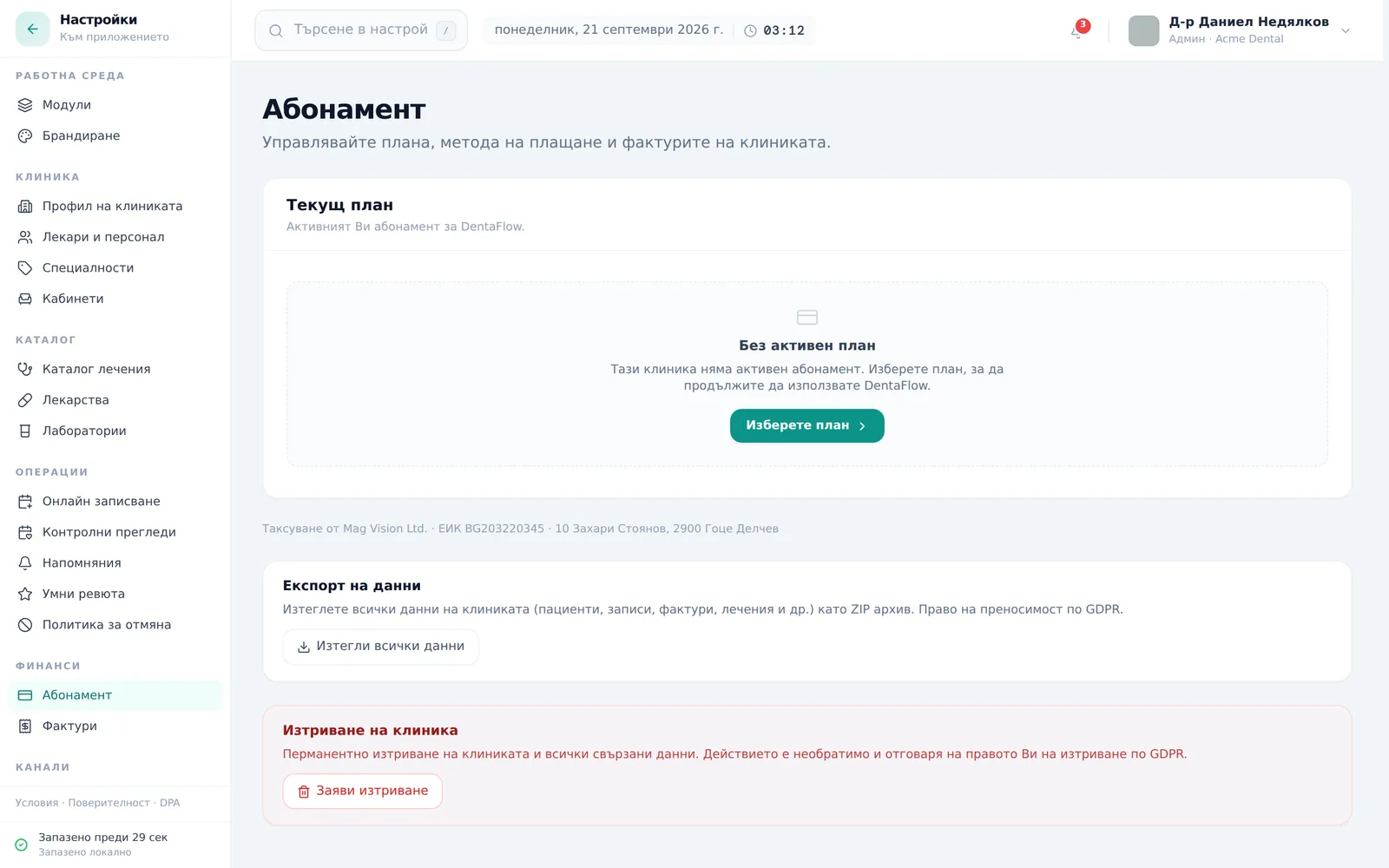
This guide covers DentaFlow’s Data export feature in the GDPR section. It downloads a ZIP containing selected types of clinic records in JSON format. The action is Admin-only and lives on the subscription page. The screenshots show the Bulgarian interface; labels below include the Bulgarian original in parentheses.
At a glance
- The export lives at Settings → Finance → Subscription (Настройки → Финанси → Абонамент), in the lower half of the page, below the subscription card.
- The ZIP contains separate JSON files for the included record types, such as patients, appointments, visits, invoices, treatment plans and informed-consent records.
- Signed PDFs and uploaded files are not included. Arrange to save them separately before ending your access.
- The archive is named
dentaflow-export-YYYY-MM-DD.zipand downloads straight to the browser. - Check
manifest.jsonafter downloading: the export can be partial. If it is, the app also shows a warning under the button. - It’s still available when the subscription is past due, including the “Export-only” stage of the restriction ladder — see Failed payments & restricted access.
Downloading and checking the archive
- Go to Settings → Finance → Subscription (Настройки → Финанси → Абонамент) and scroll down to the Data export (Експорт на данни) card (below the plan card; the “Delete clinic account” card comes after it).
- Click Download all my data (Изтегли всички данни) under “Data export (Експорт на данни)”.
- The button shows “Preparing the archive… (Подготвяне на архива…)” while the server builds the ZIP.
- The browser auto-downloads
dentaflow-export-YYYY-MM-DD.ziponce the archive is ready. - Unzip it and open
manifest.json.complete: truemeans every table included in this export was read successfully. It does not mean the archive contains every piece of data and every file in the system. - If
completeisfalse, checkerrorsandrecord_counts. A count of-1means that record type was not exported in full. Retry the export; if the problem persists, contact the team before relying on the archive.
In that case the file still downloads, and a warning appears under the button: “The archive downloaded but is incomplete: tables that failed: {count}. manifest.json in the archive lists which ones and why (the “errors” field). Try again; if it happens again, write to support@dentaflow.bg.” („Архивът е изтеглен, но е непълен…“). If the download fails altogether you see “Експортът се провали. Опитайте отново след малко.” (the export failed, try again shortly).

Frequently asked questions
What exactly is in the archive?
Separate JSON files for patients, appointments, visits, invoices, balance adjustments and installment payments (plans, installments, payments, links and agreements); treatment plans and templates; prescriptions, medical notes, lab orders and recalls; waitlist entries, reviews and messages; doctors, services and chairs; NHIF claims and dental-document records; informed consents — the consents themselves, their revisions, signers, events, withdrawals, evidence, portal access, tablet captures, consent templates, their versions and policy versions. clinic.json contains selected clinic details, while manifest.json records the export date, record counts and export result.
A document or consent record is not the file itself: signed PDFs, scanned consents, images and other uploaded files in storage are excluded from this ZIP. The export also excludes passwords, integration credentials and some internal settings and system tables, and internal technical secrets of the tablet are left out of the consent records.
Can I use this ZIP to restore the clinic or move it automatically? It is a record export, not a complete backup with a restore function. The JSON files cannot be loaded directly through the CSV/Excel patient import. When moving to another system, agree the formats, data conversion and separate file transfer with the receiving team.
Can I export just one patient’s data? This feature exports the included record types for the clinic together; it has no single-patient selector.
How long does the archive take to build?
It depends on the volume of records. If the request fails, the app shows an error message and you can retry. A successful download can still contain a partial export, so also check manifest.json.
Who can request an export? Only the Admin role — same as everything else on the subscription page. Every export is recorded in the audit log (“GDPR Art. 20 data export ZIP generated” with a record count); the log is visible when its module is on. See The audit log.
Will we lose access to the export if our subscription is past due? The export remains available when the subscription is past due — including the “Export-only” stage and an archived account, as long as you can open Settings. See Failed payments & restricted access.