Notifications
This guide covers the notification center — the bell in the top bar for staff, and the separate, lighter bell for patients in the portal. It applies to Admin, Front Desk and Doctor; role does not restrict who sees notifications. The app screenshots show the Bulgarian interface; every label below gives the Bulgarian original in parentheses.
At a glance
- The top-bar bell surfaces new appointment requests from the online booking form, patient messages (email replies), patients’ decisions on treatment plans, freed slots and new waitlist entries, deposit-link sends, the morning summary of the day, and a warning when the КЕП bridge has not reported in for a long time.
- Every notification links straight to its page and marks itself read when clicked. Read state is stored in the database and shared by the whole team.
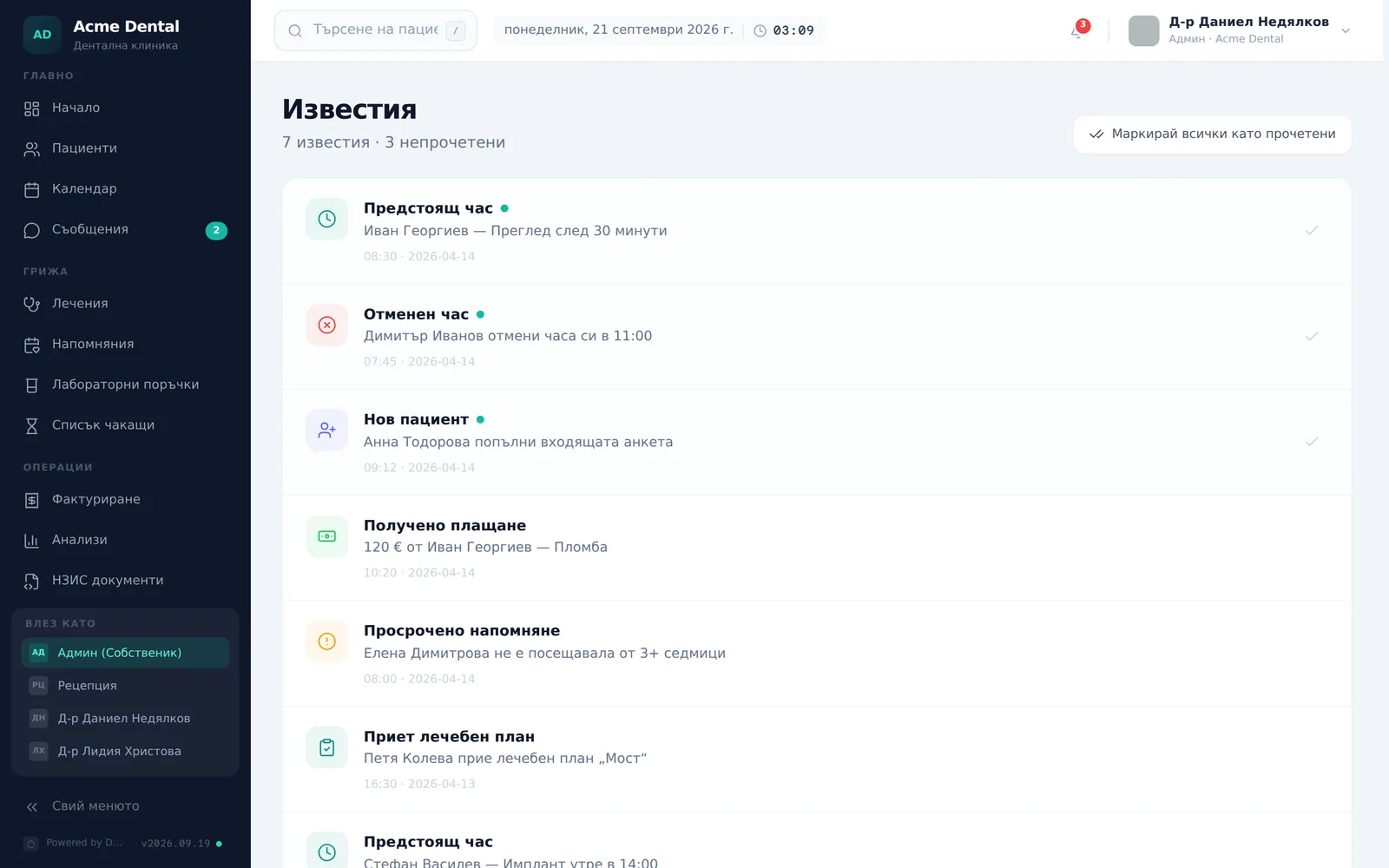
- The full list lives on the Notifications (Известия) page — the same notifications, with the date and a check button on each unread one.
- The patient portal bell is a different, computed list: appointments in the next 3 days, a plan awaiting their decision, issued invoices and an instalment that is coming due.
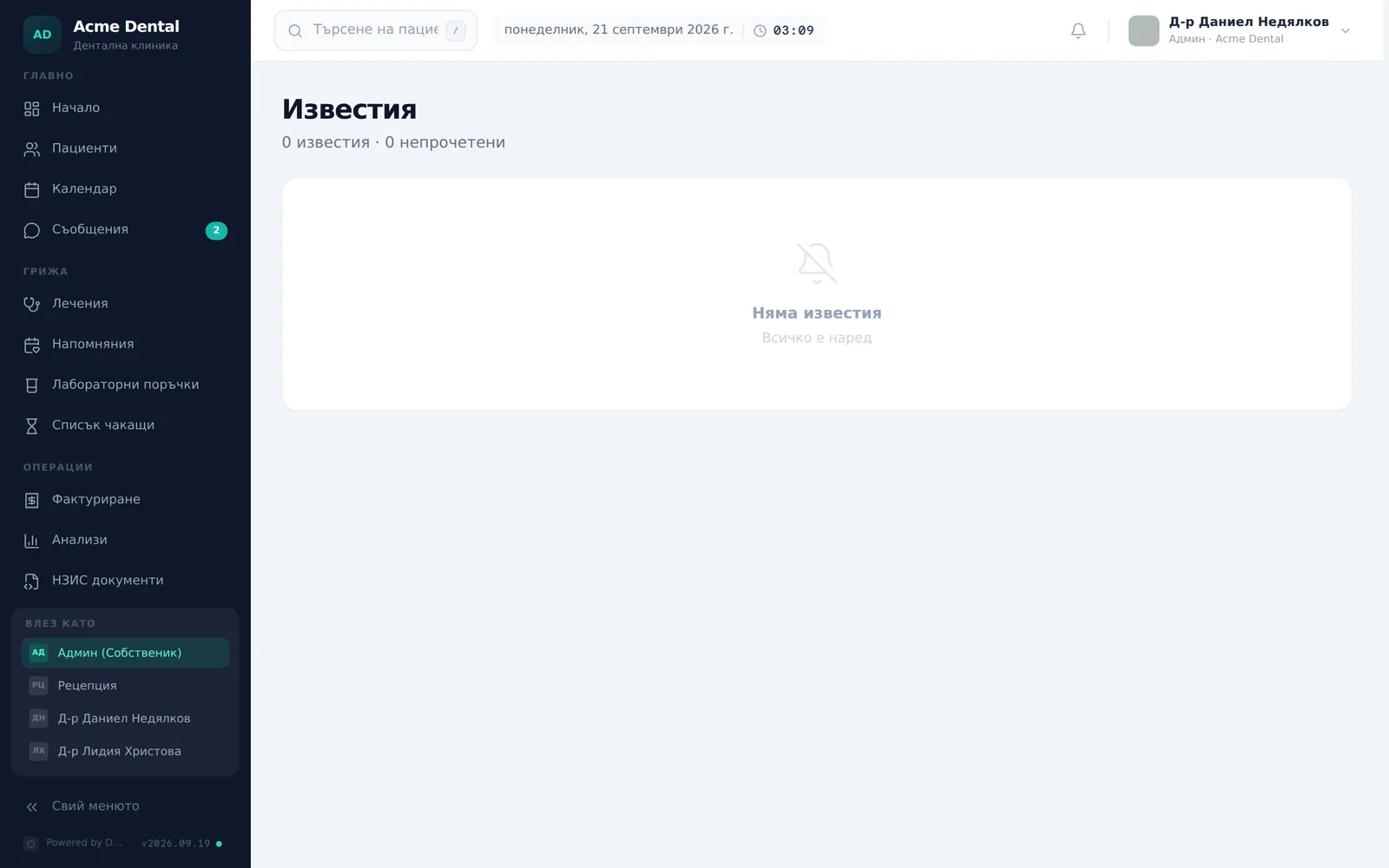
- An empty list is a normal state, not an error.
Working with staff notifications
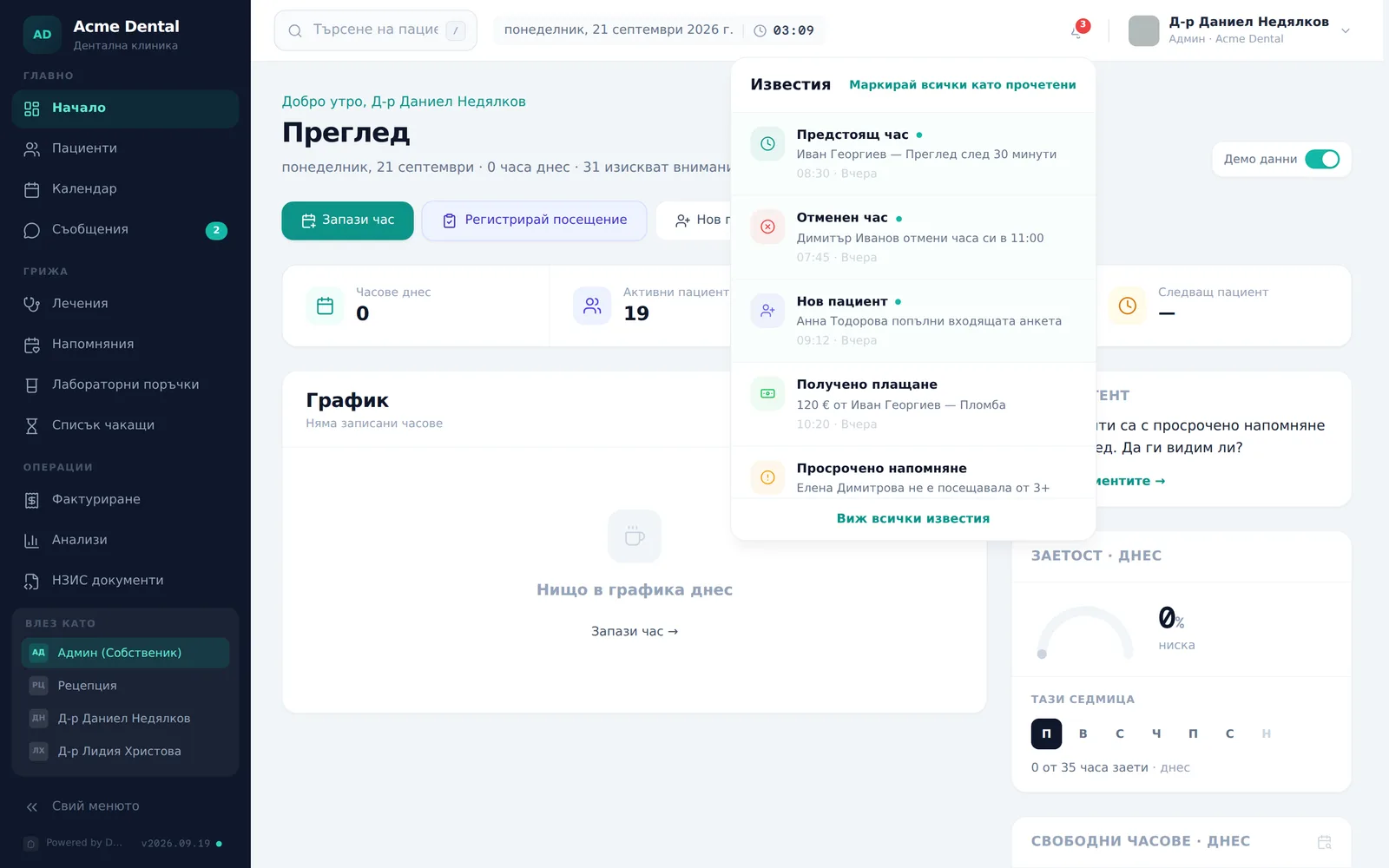
- Click the bell in the top bar to open the dropdown — newest items first, unread ones have a tinted background and a dot.
- Click a row to jump to its linked page (e.g. Messages, a booking request in the Calendar, the waitlist, a patient profile or a plan) — the item marks itself read automatically.
- To mark everything read, click Mark all read (Маркирай всички като прочетени) at the top of the dropdown, or Mark all as read (Маркирай всички като прочетени) on the Notifications page — only visible when at least one item is unread.
- For the full list, click View all notifications (Виж всички известия) at the bottom of the dropdown — it opens the Notifications (Известия) page with the total and unread counts and the date and time of every row.
- On the Notifications page, each unread row also has a check icon on the right — it marks only that notification, without opening its link.
The system keeps the latest 100 notifications. Read state is one per clinic — if a colleague marks a notification read, it is read for you too.
What creates a staff notification
- New booking request (Нова заявка за час) — when a patient submits a request through the online booking form.
- Booking from a patient abroad — send a deposit link (Записване на пациент от чужбина — изпратете линк за депозит) — on an online booking by a patient from abroad; Deposit link sent (Изпратен линк за депозит) — when the team sends the link.
- A slot opened up (Освободи се час) — when an appointment with matching waitlist entries is cancelled; New waitlist entry (Нов запис в списъка чакащи) — when someone joins.
- Patient accepted a treatment plan (Пациент прие план за лечение) or requested changes (Пациент поиска промени в план за лечение) — a decision made in the portal.
- New message from … (Ново съобщение от …) — a patient’s email reply, which also lands in the thread in Messages.
- Today’s summary (Днешният ден) — a morning summary (the day’s appointments, pending requests, unpaid invoices, overdue instalments); not sent on days with nothing to show. Switch it on or off in Settings → Reminders → Staff alerts → Assistant — morning digest (Настройки → Напомняния → Сигнали за екипа → Асистент — сутрешен преглед); on by default.
- The КЕП bridge is not active (КЕП бриджът не е активен) — when the bridge on a workstation has not reported a connection for over 72 hours in a clinic where НЗИС is switched on.
- Subscription payment failed (Плащането за абонамента не премина) — sent to admins when Stripe cannot collect the subscription.
Notifications in the patient portal
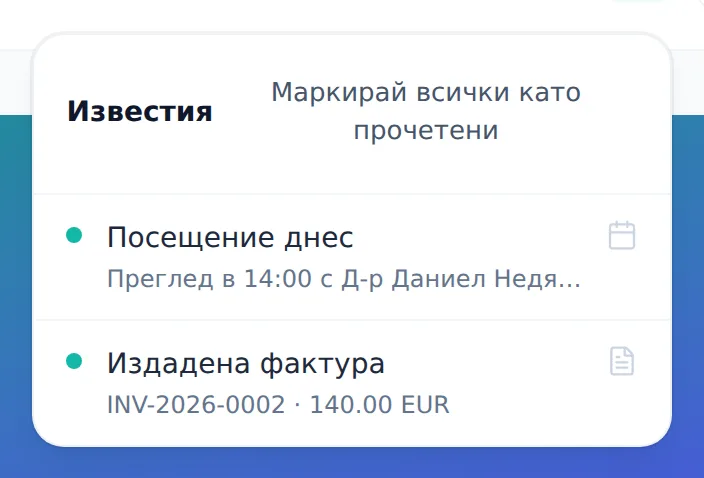
The patient sees their own bell in the portal header — not a dedicated page. The list is computed on the fly, not stored as notifications: appointments in the next 3 days, a treatment plan awaiting their decision, issued invoices (except those being paid by instalments) and — if the instalments module is on — the next instalment when it is due within 3 days or overdue. The portal bell also has a Mark all as read (Маркирай всички като прочетени) button.
Frequently asked questions
Is an empty notifications list a bug? No. “Няма известия” on the page and “Няма нови известия.” in the portal are normal, expected states.
Why does a patient see the same item flagged unread again later? The read/unread state of the portal bell is held only in the open page and isn’t saved — it resets to “all unread” after a reload or a new sign-in. This is expected behavior, not a bug to report.
Are the staff badge count and the patient badge count connected? No — they’re two independent systems with different data sources. Staff notifications are database records shared by the clinic; the patient’s list is computed in the portal. A patient marking their portal bell “read” has no effect on the staff side, and vice versa.
Is there a dedicated sidebar entry for notifications? No — you reach the notifications page only through the bell icon or the “View all notifications” link in its dropdown.


