Services & price list
The services catalog is the master list of every treatment and service the clinic offers — with price, duration and the procedure code clinical documentation needs. It’s used everywhere: booking an appointment, logging a treatment, and billing. Management is Admin-only. The screenshots below show the Bulgarian interface.
At a glance
- The main Services (Услуги) page (Admin only) or Settings → Treatment Catalog (Настройки → Каталог лечения) — the same catalog, editable from either place.
- Every service has a BG/EN name, category, default price, duration, color and a required КСМП code. DentaFlow prepares that same КСМП code as the NHIS activity code (CL110) — you normally don’t enter a separate code. The documents are submitted to NHIS (НЗИС) with that code.
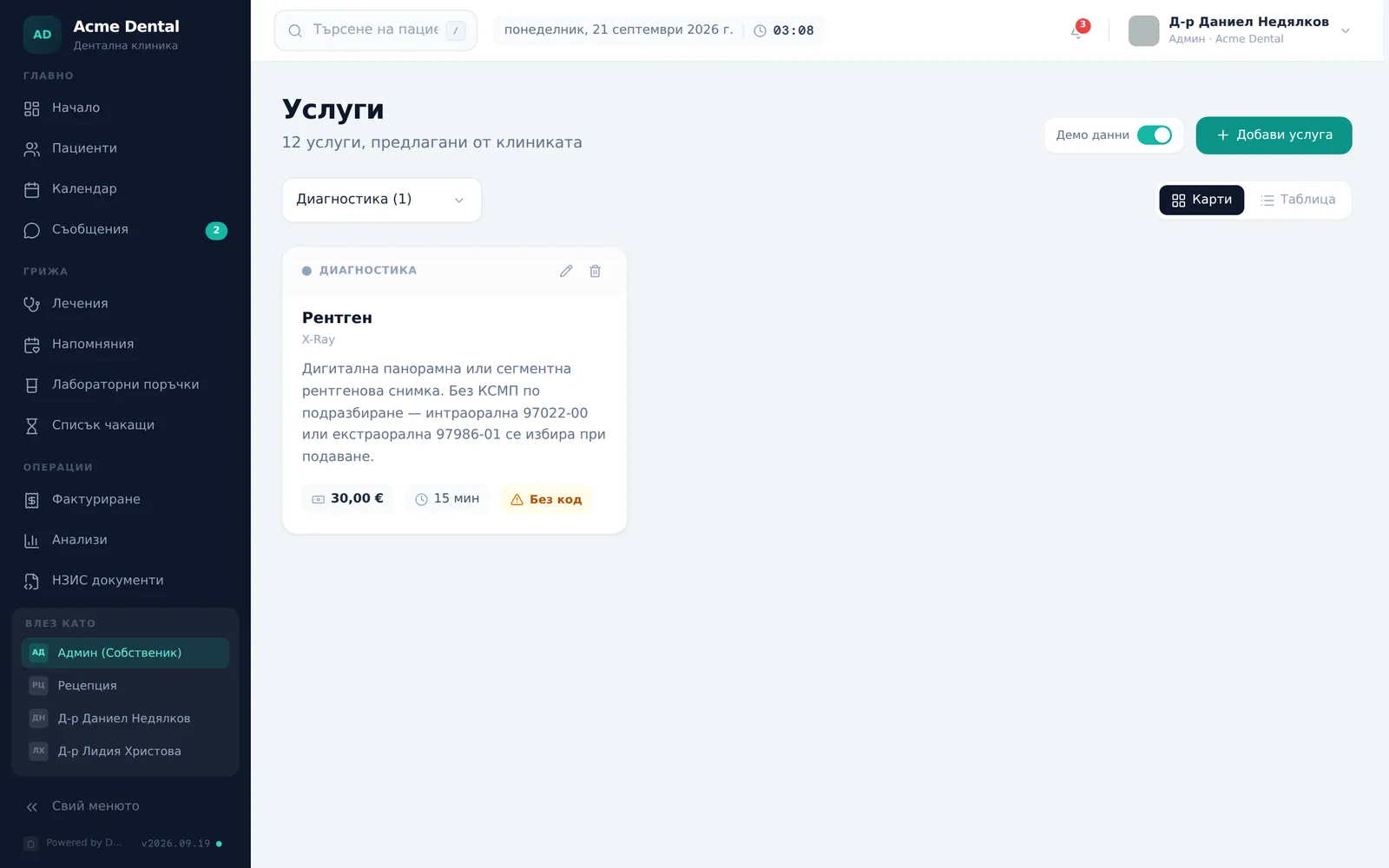
- A service without a КСМП code shows an orange “Без код” (No code) badge — it won’t file correctly into ambulatory sheets or reports.
- You can bulk-import the whole catalog from a CSV/Excel file.
Adding a service
- Click Add Service (Добави услуга).
- Fill in Name (BG) (Име (BG)) and Name (EN) (Име (EN)) — use the translate icon next to the English field to auto-translate from the Bulgarian name.
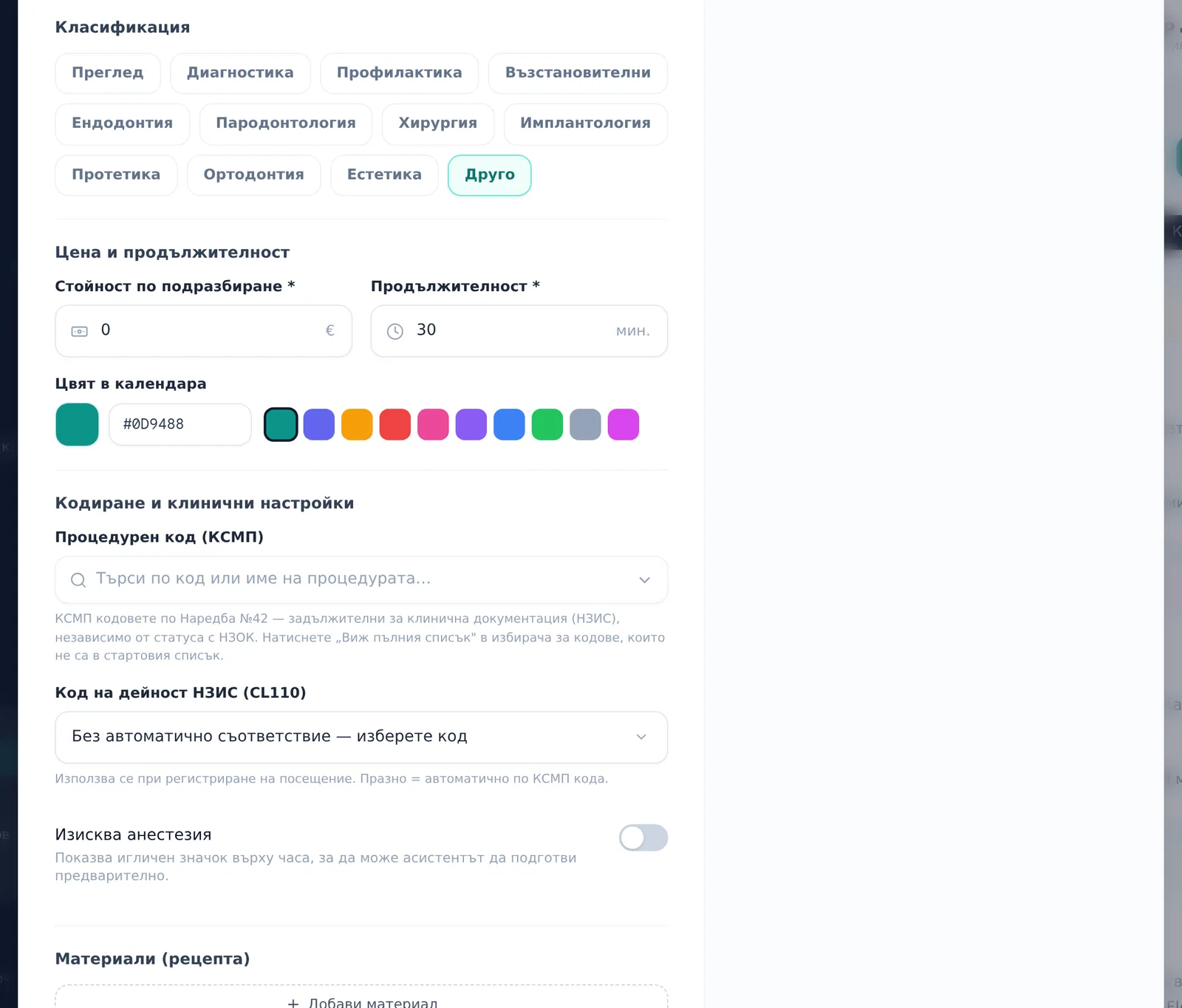
- Pick a category, set the Default cost (Стойност по подразбиране) and Duration (Продължителност) (in minutes), and pick a Calendar color (Цвят в календара).
- Under Coding & clinical (Кодиране и клинични настройки), set the Procedure code (Процедурен код (КСМП)) — mandatory under Ordinance №42 for every clinic’s clinical documentation, regardless of NHIF contract status. The NHIS activity code (Код на дейност НЗИС (CL110)) field below it shows the code a visit will send to NHIS: left empty, it reads Auto: {code} (Автоматично: {код}), which is the КСМП code itself. You don’t need to change it. If it reads No automatic match — pick a code (Без автоматично съответствие — изберете код), pick the code from the list.
- Toggle Requires anesthesia (Изисква анестезия) if relevant.
- Under Materials (Bill of Materials) (Материали (рецепта)), click Add material (Добави материал) to attach an inventory item consumed per procedure or per tooth, and set its quantity.
- Save — the service appears immediately in both Card and Table views, and in the identical Settings → Treatment catalog list.
Deleting a service
- Use the trash icon on its card/row and confirm in the dialog — this can’t be undone, but treatments already logged with this service stay unchanged in the system.
Importing the catalog from CSV/Excel
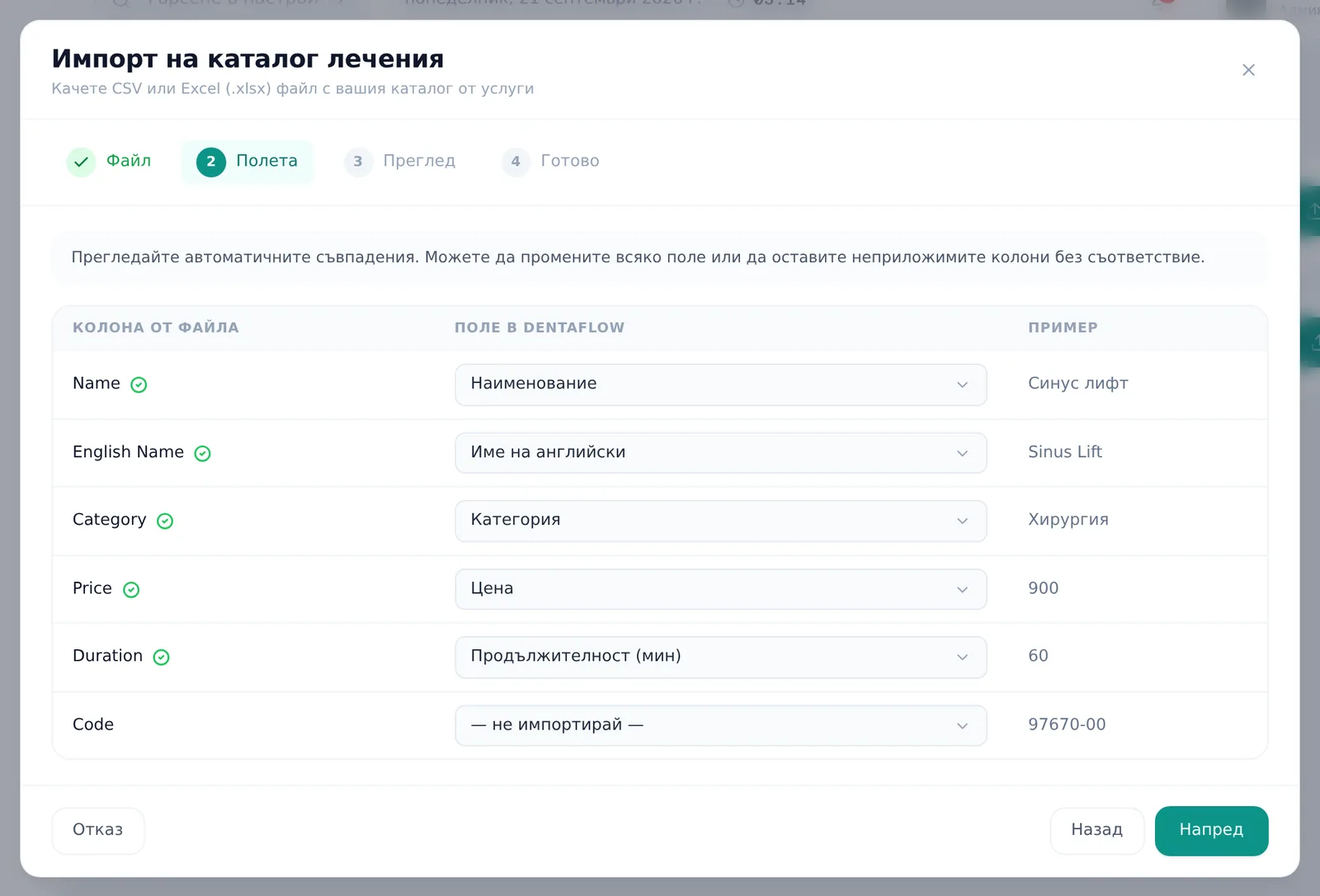
- Go to Settings → Data → Patient import (Настройки → Данни → Импорт на пациенти), and use the second card, Import treatment catalog (Импорт на каталог лечения) → Import from CSV (Импорт от CSV) (Excel .xlsx up to 5MB).
- Follow the same column-mapping and review wizard used for patient import.
Frequently asked questions
Why does a service show an orange “Без код” badge? It’s missing the required КСМП code — it won’t file correctly into ambulatory sheets or reports. Without a КСМП code there’s no NHIS activity code either, so submitting a visit with that service stops until you pick a code on the line.
Do I need to pick the NHIS activity code (CL110) manually? Usually not. In the NHIS nomenclatures the activity code on a dental ambulatory sheet is the КСМП code itself, so DentaFlow prepares the code you set on the service. You only need to pick one if the service shows the grey No NHIS code (Без НЗИС код) badge — its КСМП code isn’t an NHIS activity code. Then pick the code under NHIS activity code (Код на дейност НЗИС (CL110)) in the service editor; otherwise Save & submit to NHIS (Запиши и подай към НЗИС) stops on that line with “missing activity code” at every visit.
A service shows its activity code marked “expired 01.12.2024” (изтекъл на 01.12.2024) — what do I do? That’s an old CL110 D-code. Those codes expired on 01.12.2024 and NHIS doesn’t accept them. The NHIS activity code (Код на дейност НЗИС (CL110)) list offers live codes only; the old code shows only on the record that still holds it. New visits don’t use it: they use the automatic code if there is one, and otherwise stop until you pick a code on the line. To clear it from the service, pick Auto: {code} (Автоматично: {код}) or a live code and save. If an older visit was saved with an expired code, Save & submit to NHIS (Запиши и подай към НЗИС) stops on that line with “missing a valid activity code (the saved one has expired)” — pick a live code on the line in the visit.
Where did Filling, X-Ray and Partial denture (Пломба, Рентген, Протеза – частична) go from the default catalog? These generic services can’t honestly carry a single КСМП code — under Ordinance №42 the procedure splits by tooth position and number of surfaces, by type of X-ray, or by jaw and denture type. So if they had no КСМП code of your own, they’ve been deactivated and replaced with coded services:
- Filling (Пломба) (and “Обтурация с фотополимер”) → six Composite restoration (anterior) (Обтурация с фотополимер (преден зъб)) and Composite restoration (posterior) (Обтурация с фотополимер (дистален зъб)) services — for 1, 2 and 3+ surfaces (97521-01 to 97533-00).
- X-Ray (Рентген) → Intraoral radiograph (periapical / bitewing) (Рентгенография – интраорална (секторна)) (97022-00) and Extraoral radiograph (panoramic / OPG) (Рентгенография – екстраорална (панорамна / ОПГ)) (97986-01).
- Partial denture (Протеза – частична) → Partial acrylic denture (Протеза – частична плакова) and Partial cast-metal denture (Протеза – частична моделно-лята), each for the upper and lower jaw (97721-01, 97728-01, 97729-00, 97729-01). If you don’t have them, Full upper denture (Протеза – горна цяла) and Full lower denture (Протеза – долна цяла) are added too.
Past visits keep the old services unchanged. The new services take the old one’s price and duration only as a placeholder — review and correct their prices. Services you coded yourself weren’t changed.
Are “Услуги” and Settings → “Каталог лечения” different catalogs? No — it’s exactly the same data shown in two places. A change in either shows up in both instantly.
Can I sort by price? Only in Table view. Card view is always sorted alphabetically.
What happens to past treatments if I delete the service they used? Deleting doesn’t touch history — past treatments using that service remain unchanged in the system.


