Messaging patients
This guide covers Messages — one shared conversation per patient that lives in both the patient portal and their email at the same time. It applies to the whole staff team: Admin, Front Desk and Doctor. The app screenshots show the Bulgarian interface; every label below gives the Bulgarian original in parentheses.
At a glance
- Each patient has one conversation (“thread”) shared between the portal and email — not a separate channel per option.
- A message the clinic sends is saved to the portal thread and, if the patient has an email address, is also emailed with a reply-to address.
- The patient can only reply from the portal or by replying to the email — there is no working SMS/Viber send today.
- Files you attach are also filed automatically under the patient’s Documents tab.
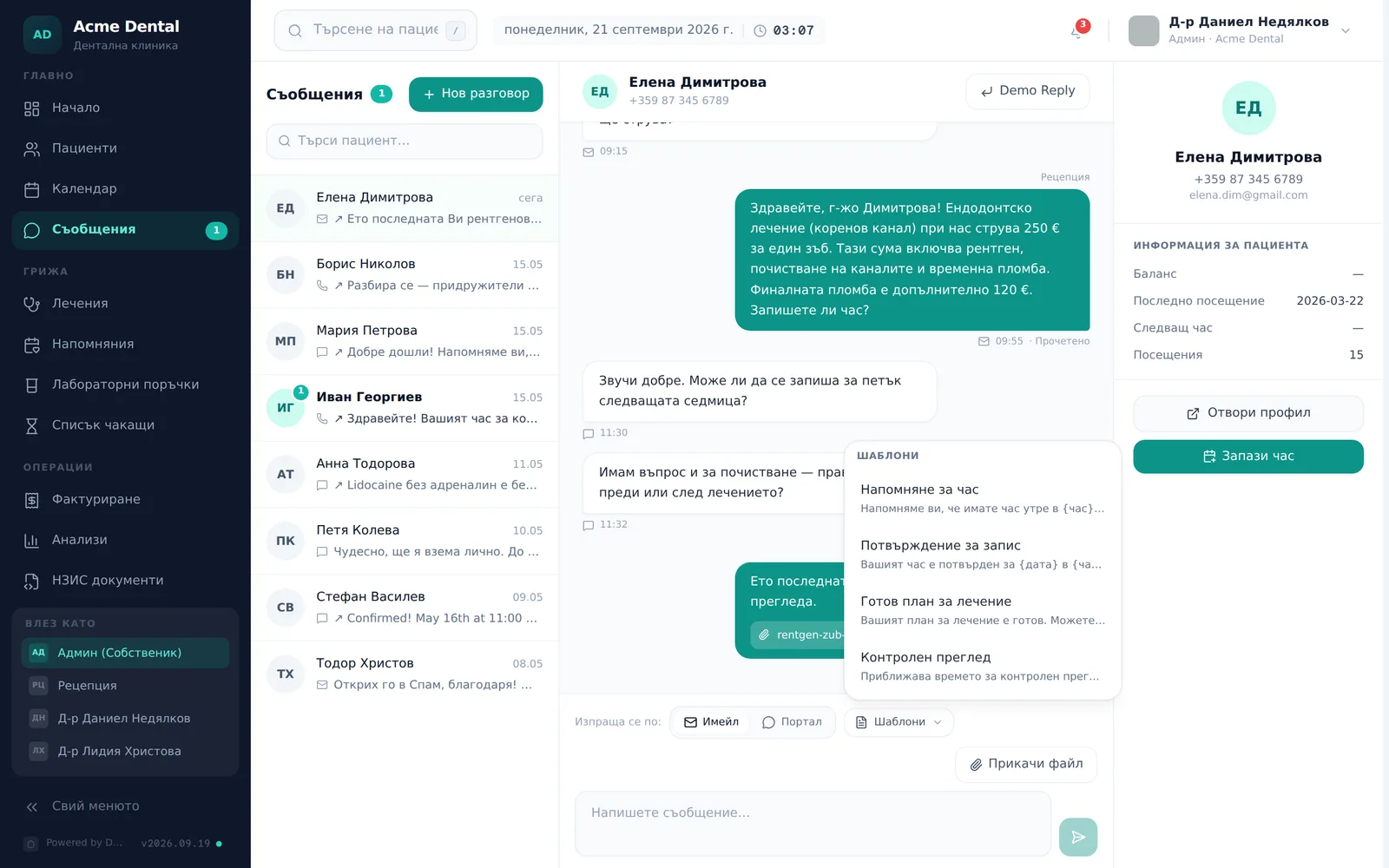
- 4 built-in quick-reply templates speed up common messages (appointment reminder, booking confirmation, plan ready, check-up).
- The email to the patient is in Bulgarian by default; an English version exists only for clinics where DentaFlow has switched it on.
Sending a message
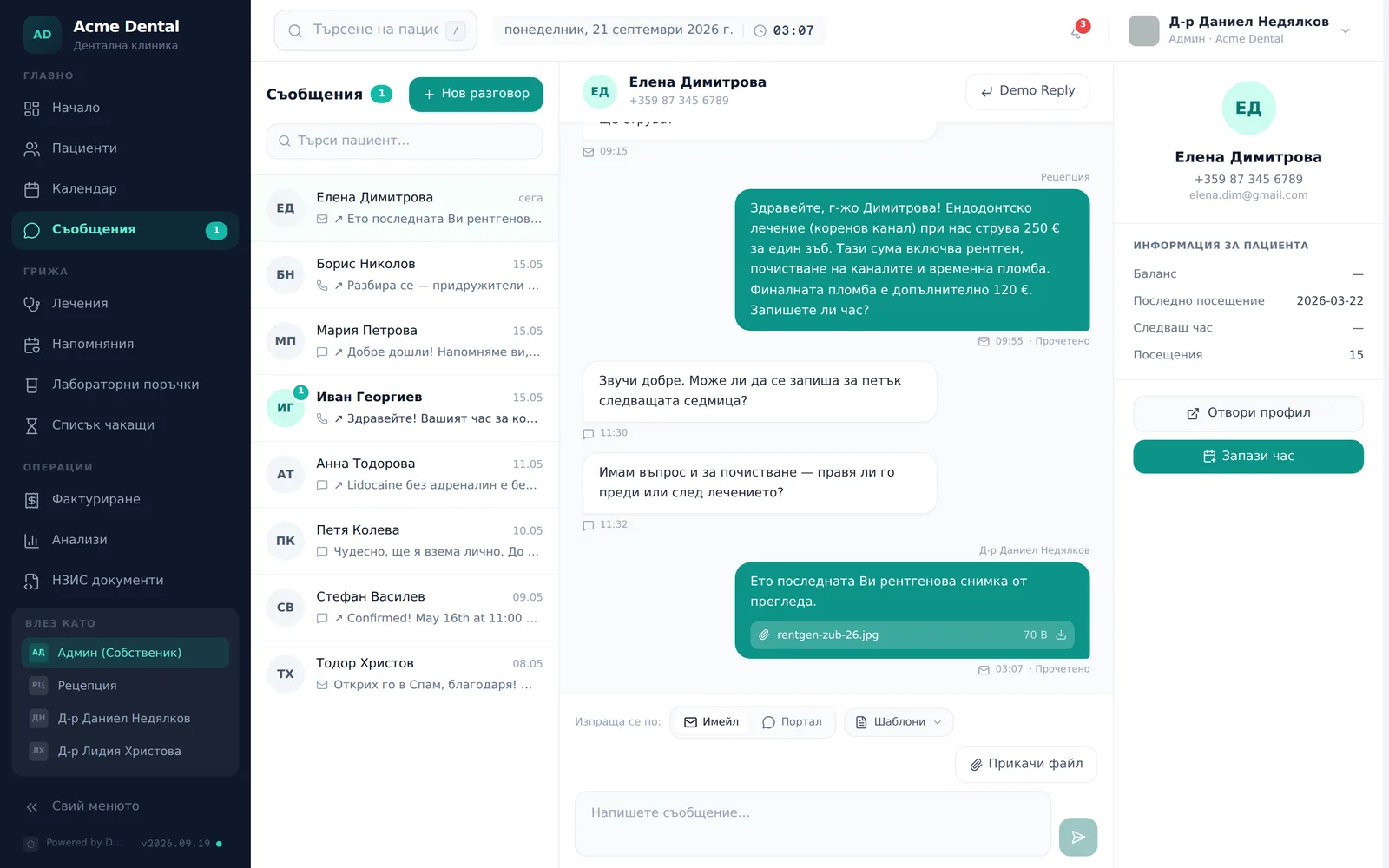
- Open Messages (Съобщения) from the sidebar (“Main” section, „Главно“). On a tablet or a narrow laptop you see either the list or the open conversation — the arrow at the top left takes you back to the list.
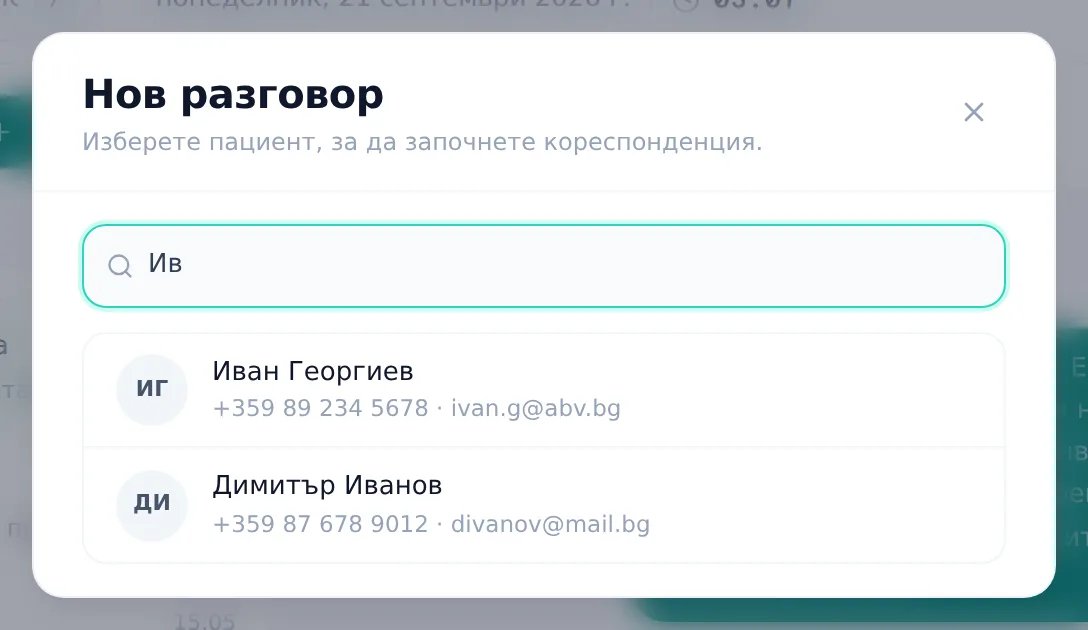
- To start a new conversation, click New conversation (Нов разговор) and search the patient by name, phone or email, then click them to open an empty thread. For an existing conversation, just open it from the list.
- Type your text in the composer (Напишете съобщение…) box and press Enter or click the send arrow. The list on the left only shows patients who already have at least one message; search it with the Search patient (Търси пациент…) box.
- For an attachment, click Attach file (Прикачи файл), pick an image, PDF or Word file (10 MB max each), and wait for the upload chip to finish before sending. A too-large or unsupported file is rejected with a toast; a failed upload leaves a red chip and a toast.
- For a quick reply, click Templates (Шаблони) and pick one of the 4 built-in canned replies — Appointment reminder (Напомняне за час), Booking confirmation (Потвърждение за запис), Treatment plan ready (Готов план за лечение) or Check-up (Контролен преглед). The text is inserted into the box; placeholders in curly brackets (e.g. {час}, {дата}, {лекар}) are not filled in automatically — replace them by hand before sending.
- The Sends via: (Изпраща се по:) row above the composer shows how the message will reach the patient. If the patient has a reachable email, you can pick Email (Имейл) (the email goes out and the message is also in the portal) or Portal (Портал) (thread only, no email) for that message. With no reachable email, the row shows only “Portal” and is read-only.
- To book an appointment without leaving the conversation, click Book appointment (Запази час) — on the patient card to the right of the thread on a wide screen, or in the top bar of the conversation on a narrower screen (below 1280 px).
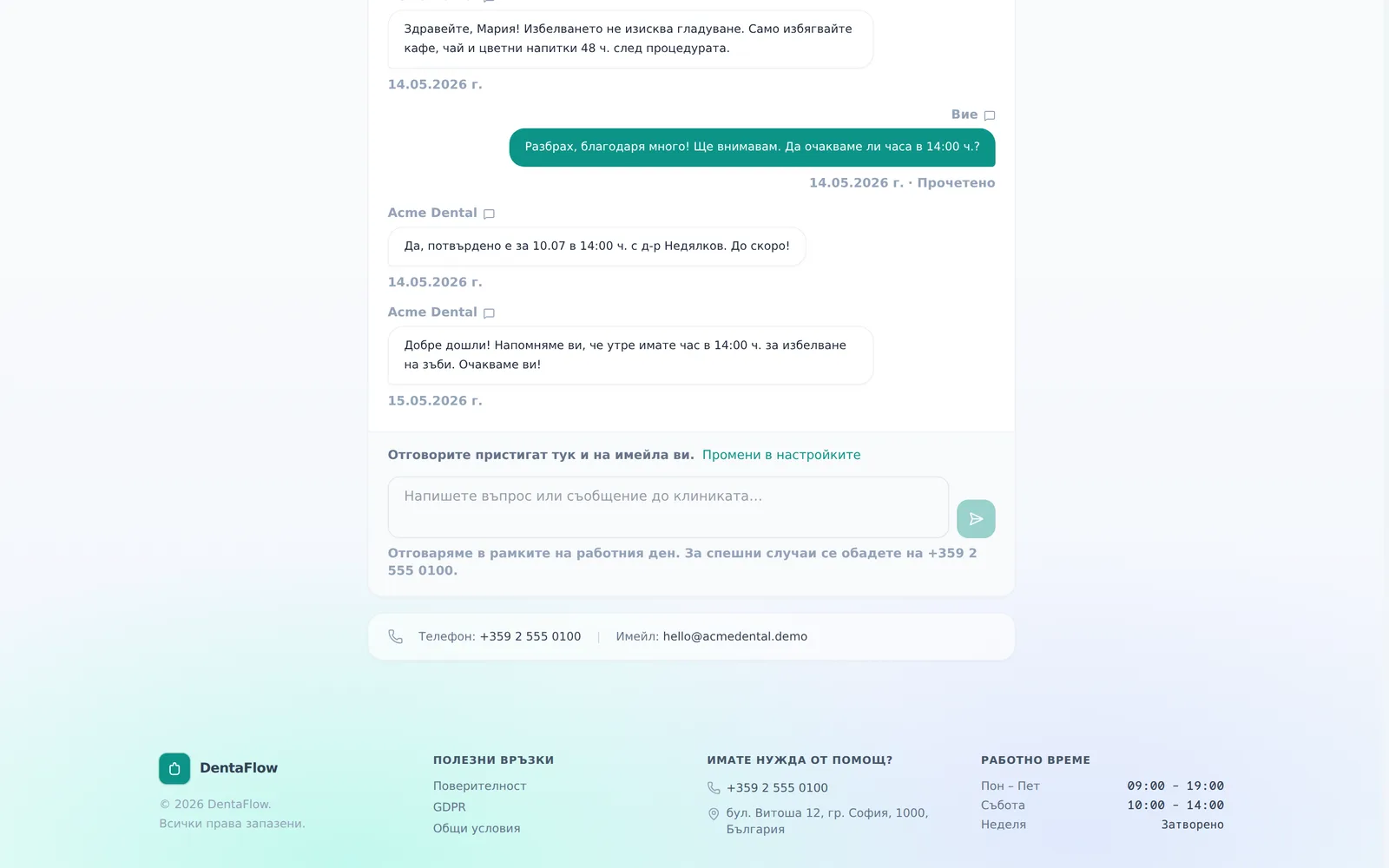
Patient reply from the portal
- The patient opens Messages (Съобщения) in the portal navigation.
- They type in the box at the bottom.
- They send with Enter or the send button.
Patients cannot attach files — they can only view and download files the clinic has sent them.
Frequently asked questions
The patient has no email on file — what happens? The composer shows a “No email on file” (Няма имейл за този пациент) note with an Add an email (Добави имейл) link to their profile. The clinic can only reach them through the portal, and can’t even invite them to the portal, since invites are email-only — add an email to their profile first.
Can I message a patient over Viber? No. They are not an option in Messages — the “Sends via:” row has only Email (Имейл) and Portal (Портал), and those are the only channels that deliver. Elsewhere in the app Viber appears only as a manual “open a chat” action (for example on a recall), and SMS is not sent at all yet. Sending through SMS and Viber from DentaFlow is coming soon.
Why did the system stop emailing a particular patient? There are three possible reasons. Do not send via email (Не изпращай чрез имейл) may be ticked on their profile — then they get no email at all from the clinic. Or their email was blocked automatically from real delivery events: the profile shows “Emails to this patient are blocked (marked as spam)” after a spam complaint, or “Email address is not working” after a hard bounce (the banner is in Bulgarian in the Bulgarian interface). The portal thread keeps working, but emails stop. Once you have checked the address with the patient, click Mark as valid (Маркирай като валиден) in the profile banner.
Where does an attachment I send get stored? It’s also filed automatically under the patient’s Documents tab (type “Other”). Deleting or renaming it there doesn’t remove it from the chat bubble.
Are the quick-reply templates editable? Not today — the 4 built-in templates are fixed Bulgarian text, not translated and not clinic-editable (you can edit the inserted text for that one message only). For the wording of automated emails, including the “Portal Message (Съобщение от клиниката)” email, see Email templates.
What language is the email to the patient in? Bulgarian by default. Patients with another language get an English version only at clinics where DentaFlow has switched on patient-language emails; there is no switch for it in Settings.