Smart review: review requests
Smart review (Умни ревюта) is the fully automated review request DentaFlow sends a patient after a completed visit. It’s configured by Admin or Front Desk, but sending itself never needs a click. This guide covers setting up Smart review and what the patient sees. The app screenshots show the Bulgarian interface; every label below gives the Bulgarian original in parentheses.
At a glance
- There is no “send invite now” button — Smart review runs entirely on an hourly schedule.
- It’s on by default. The invite goes out a set number of hours (4h by default, configurable) after a visit is marked completed.
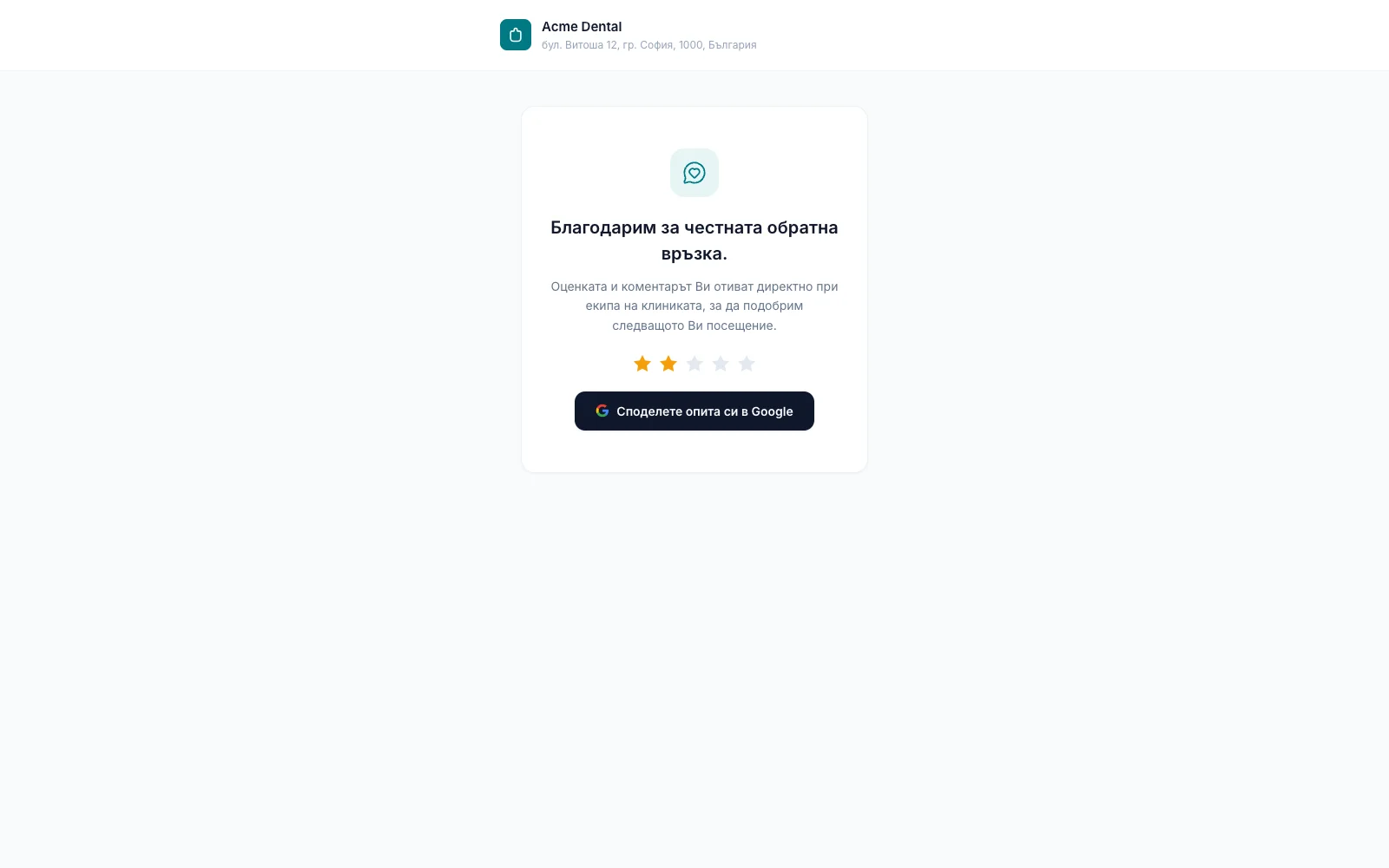
- After every rating the patient sees a thank-you and a Share your experience on Google (Споделете опита си в Google) button, once you’ve entered a Google Place ID. The button is the same for every score: Google forbids inviting only happy patients. A rating below the threshold (below 4 stars by default) goes to the “Negative” tab for staff follow-up and, if you’ve entered an owner email, triggers an email alert.
- The invite only fires when the visit is completed and the patient has an email on file, hasn’t opted out of email (“Do not send via email”, „Не изпращай чрез имейл“) and doesn’t have an address flagged as undeliverable — otherwise it is simply skipped. At most one invite is sent per visit.
- SMS and Viber review requests aren’t built yet — everything runs by email only today.
Setting up Smart review
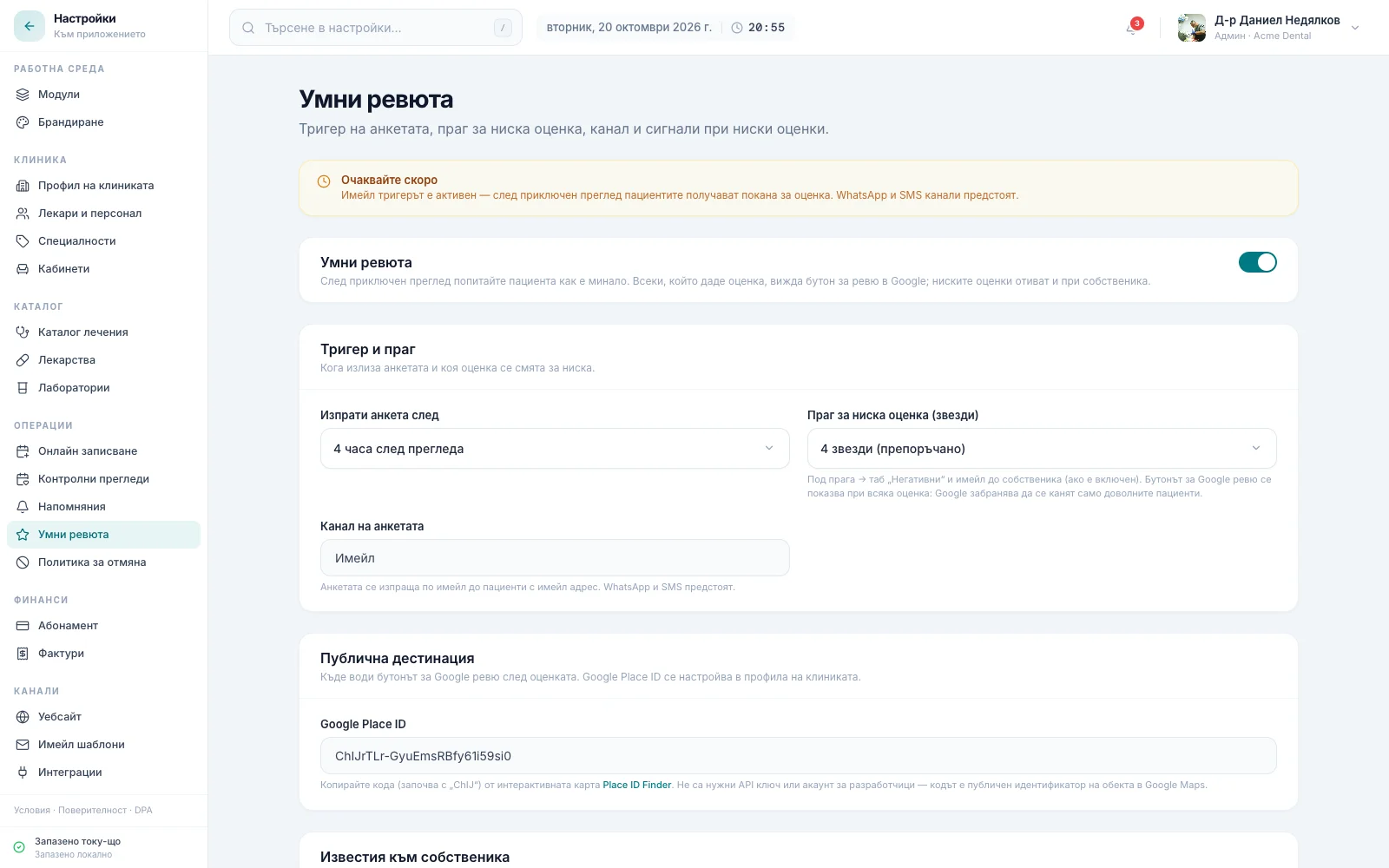
- Open Settings → Smart review (Настройки → Умни ревюта), in the “Operations (Операции)” group.
- Check the master switch on the “Smart review (Умни ревюта)” card — the feature is on by default; turn it off if the clinic doesn’t want invites to go out. While it is off, the other cards (trigger, public destination, owner alerts) are hidden. The yellow banner at the top confirms that the email trigger is active and that SMS and Viber are coming.
- In the Trigger & threshold (Тригер и праг) card, pick Send survey after (Изпрати анкета след) — how long after a completed visit the invite goes out: 1 hour after visit (1 час след прегледа), 4 hours after visit (4 часа след прегледа), Next day (На следващия ден) or 2 days after visit (2 дни след прегледа).
- Pick the Low-score threshold (stars) (Праг за ниска оценка (звезди)) — “3 stars”, “4 stars (recommended)” or “5 stars only”. A rating below it goes to the “Negative” tab and emails the owner (if switched on). The threshold doesn’t decide who sees the Google button — it shows after every rating. A change also re-sorts past ratings on Reviews.
- Paste the clinic’s Google Place ID under Public destination (Публична дестинация) — without it, patients see only the thank-you, with no “Share your experience on Google” button.
- The Survey channel (Канал на анкетата) field shows Email (Имейл) — the only channel invites go out on today.
- For low-score alerts, keep Email owner on low scores (Имейл до собственика при ниски оценки) on (it’s on by default) and fill in Owner email (Имейл на собственика) (the field only shows while the switch is on). While the field is empty, a note under it reminds you that no alert is sent without an address.
What the patient sees
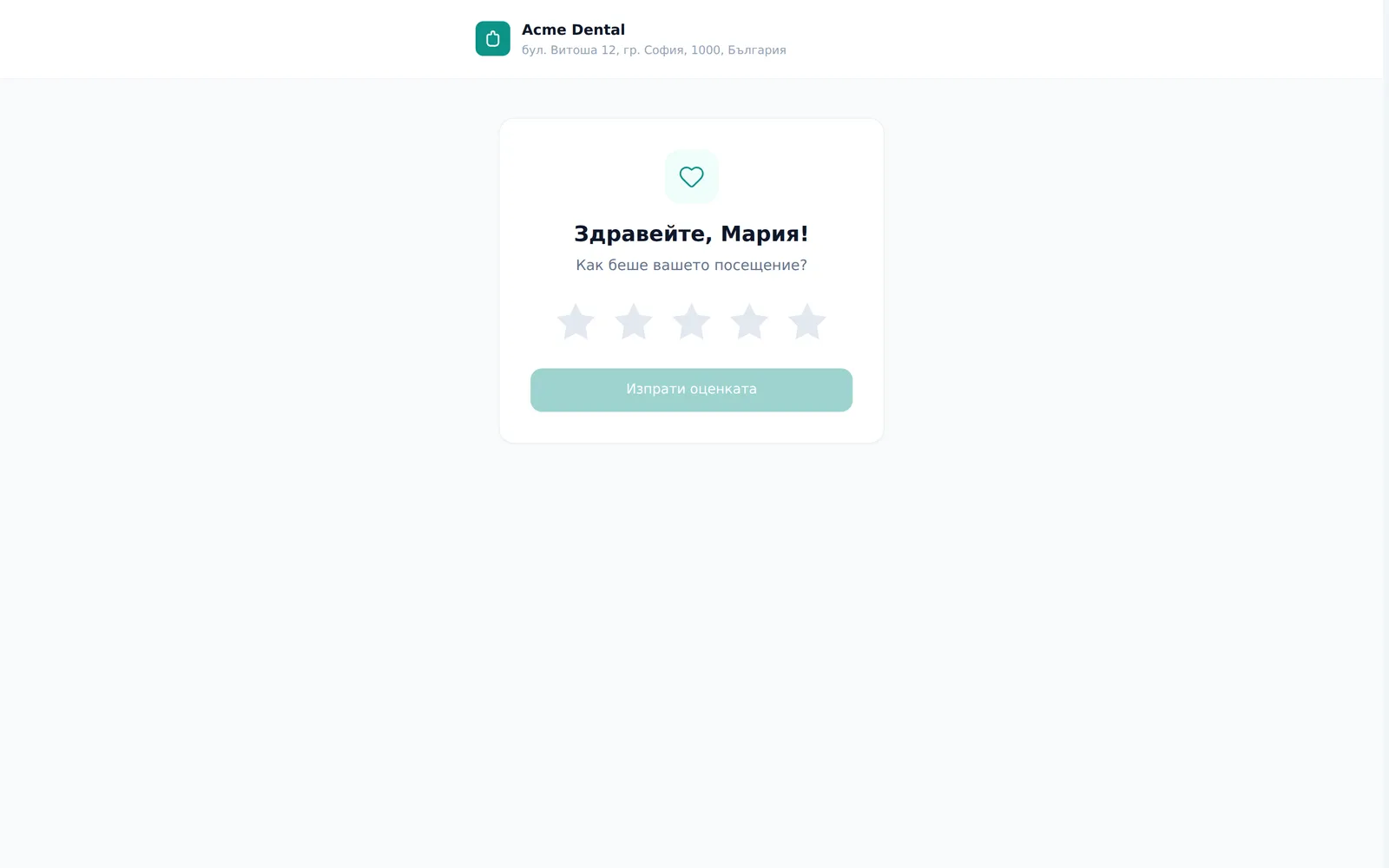
- The patient opens the emailed link and lands on a public, unauthenticated page with a 5-star rating, with the clinic’s name and address in the header.
- They tap a star rating (1-5) and can optionally add a comment.
- They tap Submit review (Изпрати оценката).
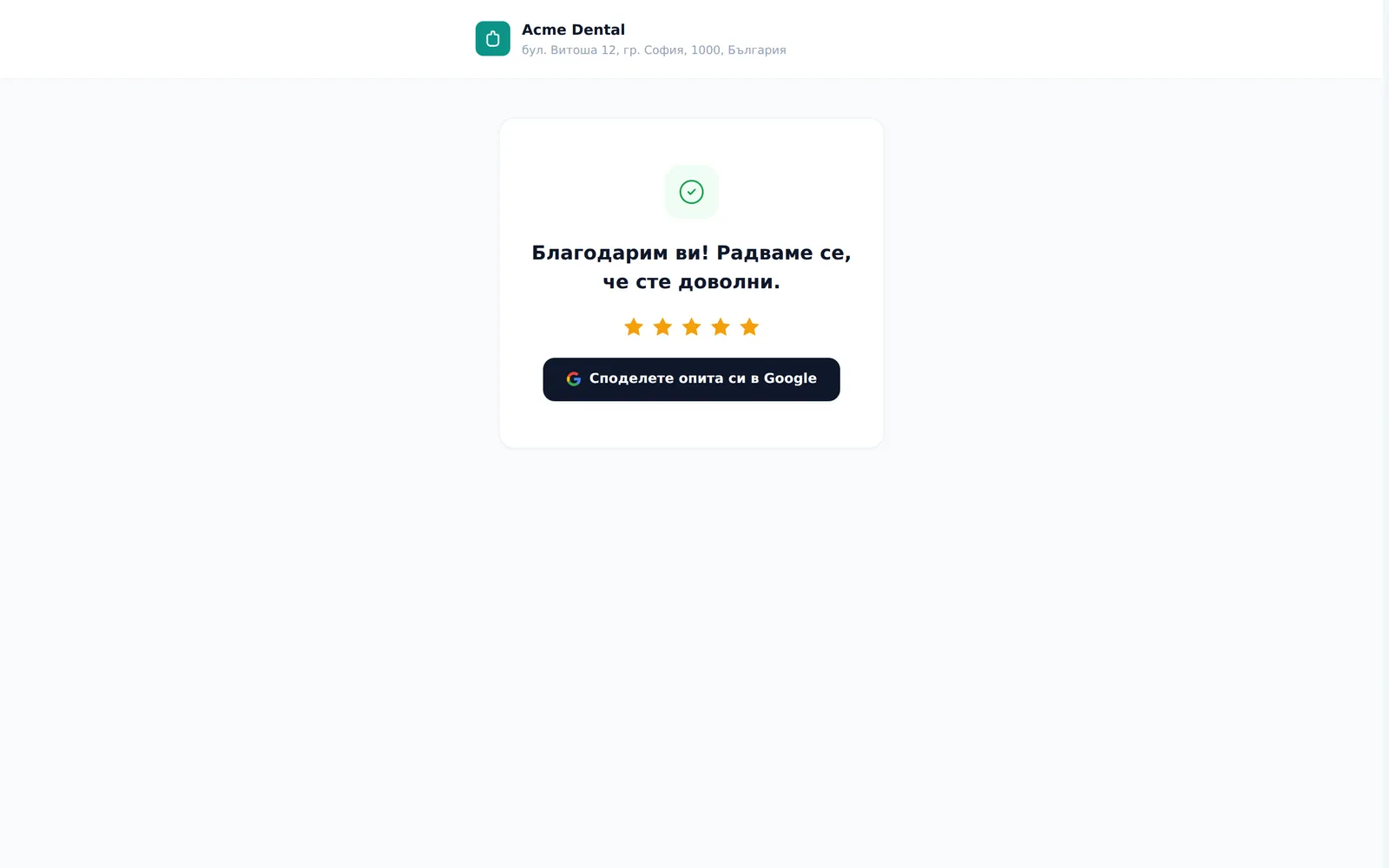
- A rating at or above the threshold shows “Thank you! We’re glad you had a great experience.” (Благодарим ви! Радваме се, че сте доволни.) A lower rating shows “Thank you for your honest feedback” (Благодарим за честната обратна връзка.) and that the rating and comment go straight to the clinic team — no promise of a call. Either way, a Share your experience on Google (Споделете опита си в Google) button sits under the thank-you (if the clinic has entered a Google Place ID). Low ratings surface on the Reviews & reputation page for staff follow-up.
Frequently asked questions
Can I send a review request manually? No — there’s no manual send button anywhere in the app. The invite is 100% automatic, on the schedule.
Why didn’t a particular patient get an invite? The invite only fires for a visit that is completed and a patient with an email on file, provided the patient hasn’t opted out of email (“Do not send via email” on their profile), the address isn’t flagged as undeliverable or blocked (for example after a bounce) and the visit has no invite yet. The feature must also be on and the send delay must have passed. No email on file means it’s simply skipped.
Will I get an email when a patient leaves a low rating? Yes, if “Email owner on low scores” is on (it is by default) and you’ve filled in “Owner email” — every rating below the threshold sends a “Low score …/5 — {clinic name}” (Ниска оценка …/5) email with the patient’s comment. That’s the only setting for this email: the “Negative reviews (Негативни оценки)” row under Settings → Reminders → “Staff alerts (Сигнали за екипа)” just links here. Unresolved low ratings also show as a red count next to “Reviews (Оценки)” in the sidebar and on the dashboard’s “Reputation (Репутация)” card. See Reviews & reputation.
What language is the invite in? Bulgarian by default. Only clinics for which DentaFlow has switched on English patient emails send an English invite to a patient whose language is English. The invite text is fixed system copy and can’t be edited under Settings → Email Templates.
What happens if the patient reopens the link after already rating? They see the same thank-you screen again (idempotent) — they can’t re-rate.
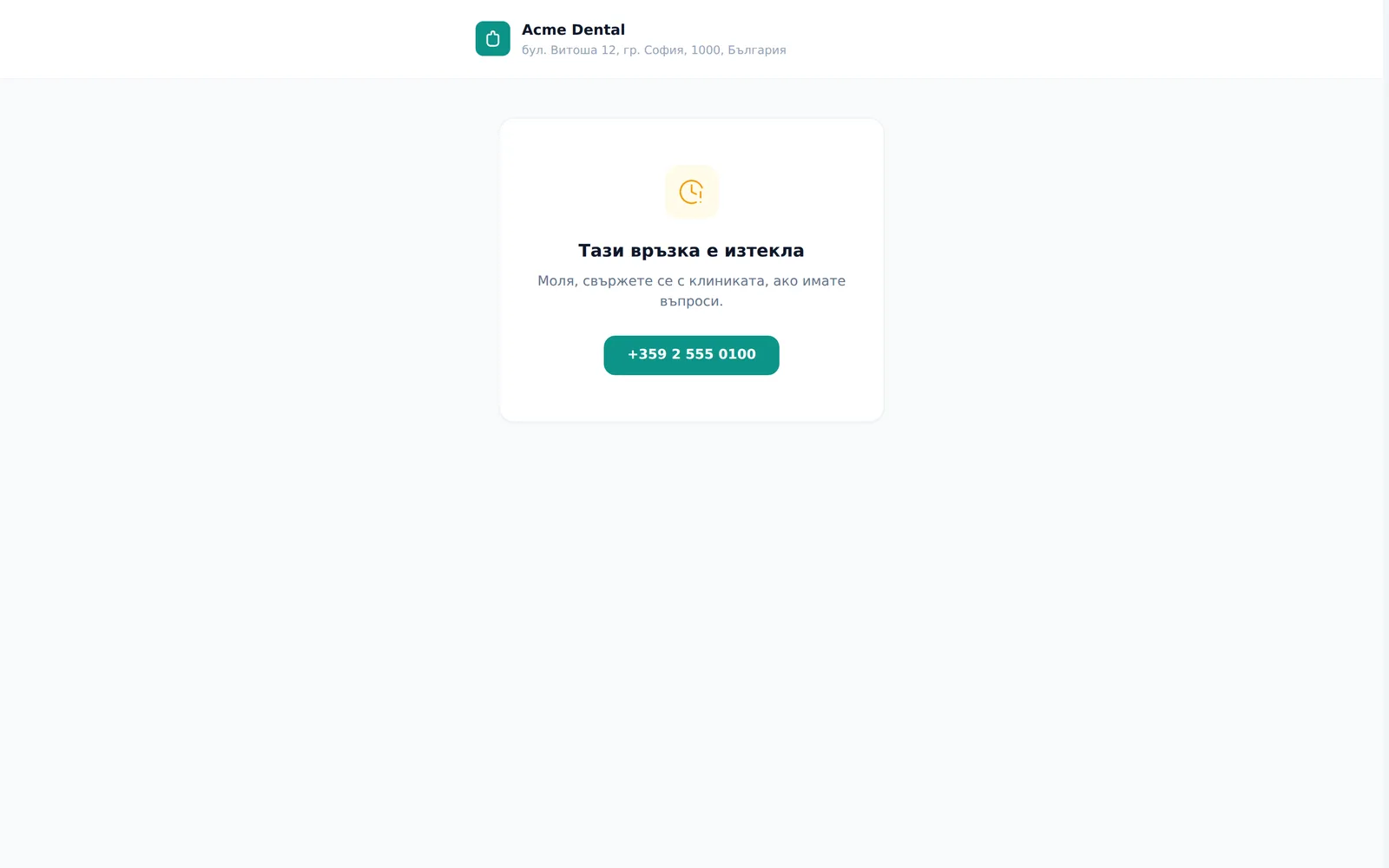
How long does the review link stay valid? 30 days. After that it shows “This link has expired” (Тази връзка е изтекла), with the clinic’s phone number as a fallback.
Will the patient get the invite over SMS or Viber? Not today — those channels aren’t built for review requests yet. In the settings the channel is fixed to Email, and the “Coming soon (Очаквайте скоро)” banner notes that SMS and Viber are coming.
Why doesn’t the patient see the Google button after rating? Because no Google Place ID is set under “Public destination”. Paste it and the next patients will see the button, whatever they rate.
Why does the Google button show after a low rating too? Because Google forbids inviting only happy patients to review (so-called review gating). So everyone who rates sees the same button. The threshold only decides which ratings go to “Negative” and when the owner gets an email.